How to use Journals
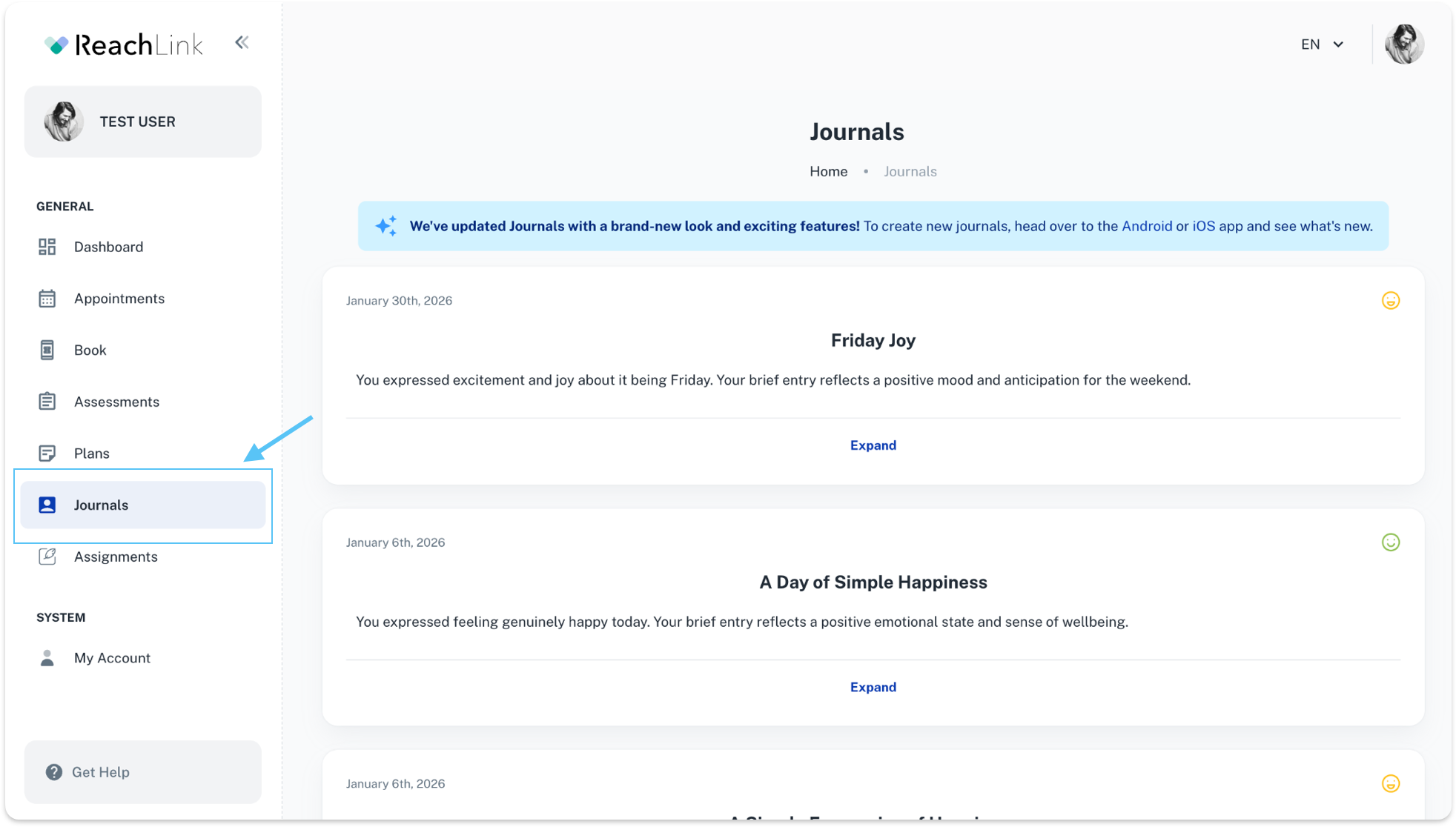
Go to Journals
- From the left-hand menu, click Journals.
- You’ll see a list of your past journal entries, sorted by date.
View a journal entry
- Click Expand to open the full entry.
- Each entry shows:
- The date
- A title or summary
- A mood emoji indicating how you felt
Review entry details
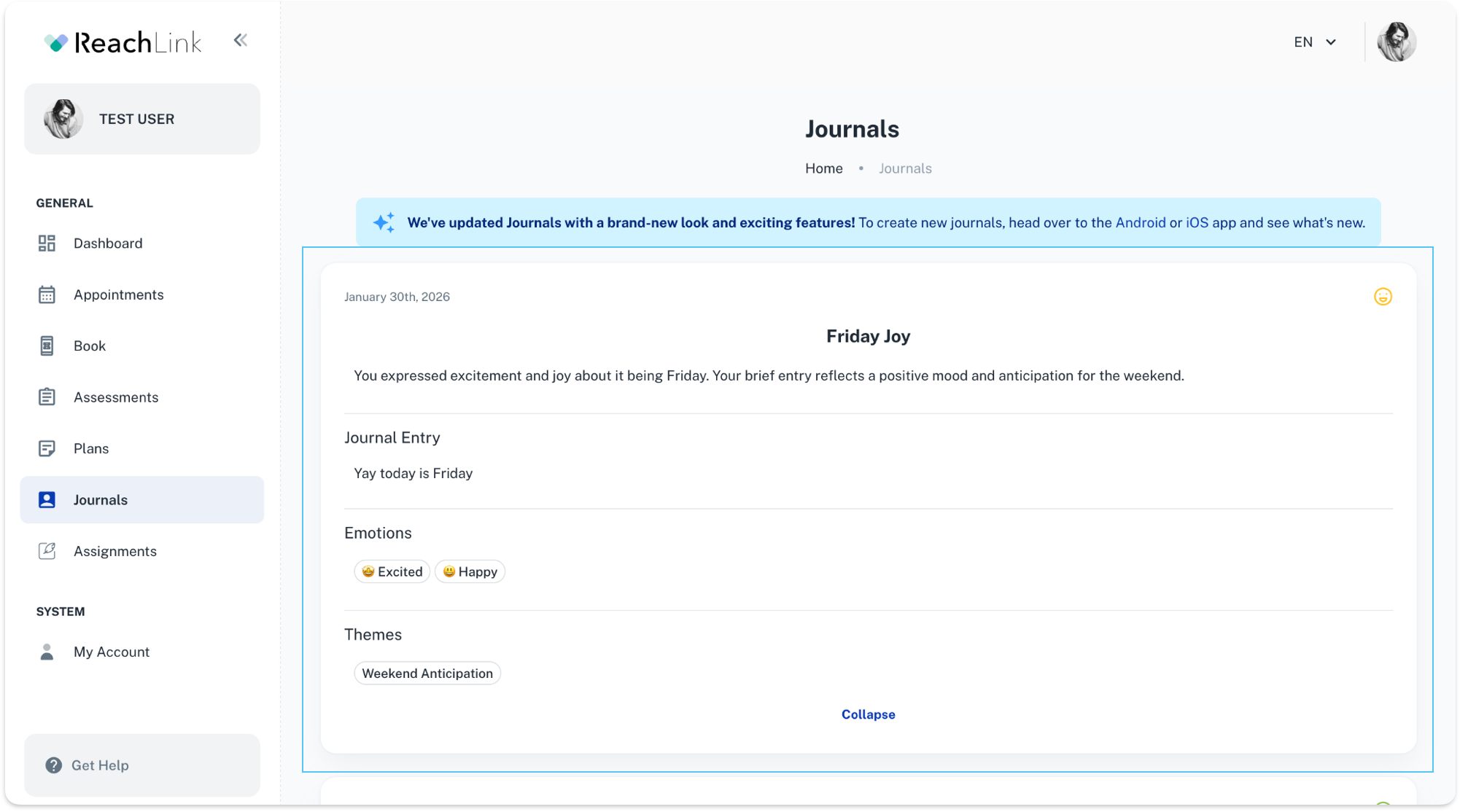
- When expanded, you can see:
- Your written journal entry
- Emotions you selected (e.g., Happy, Excited)
- Themes identified from your entry (e.g., Weekend Anticipation)