You can now message your provider directly in the ReachLink app. Open Messages, tap your provider's conversation (or start a new one), and send your message.
How to do it
- Open the ReachLink app and tap Messages.
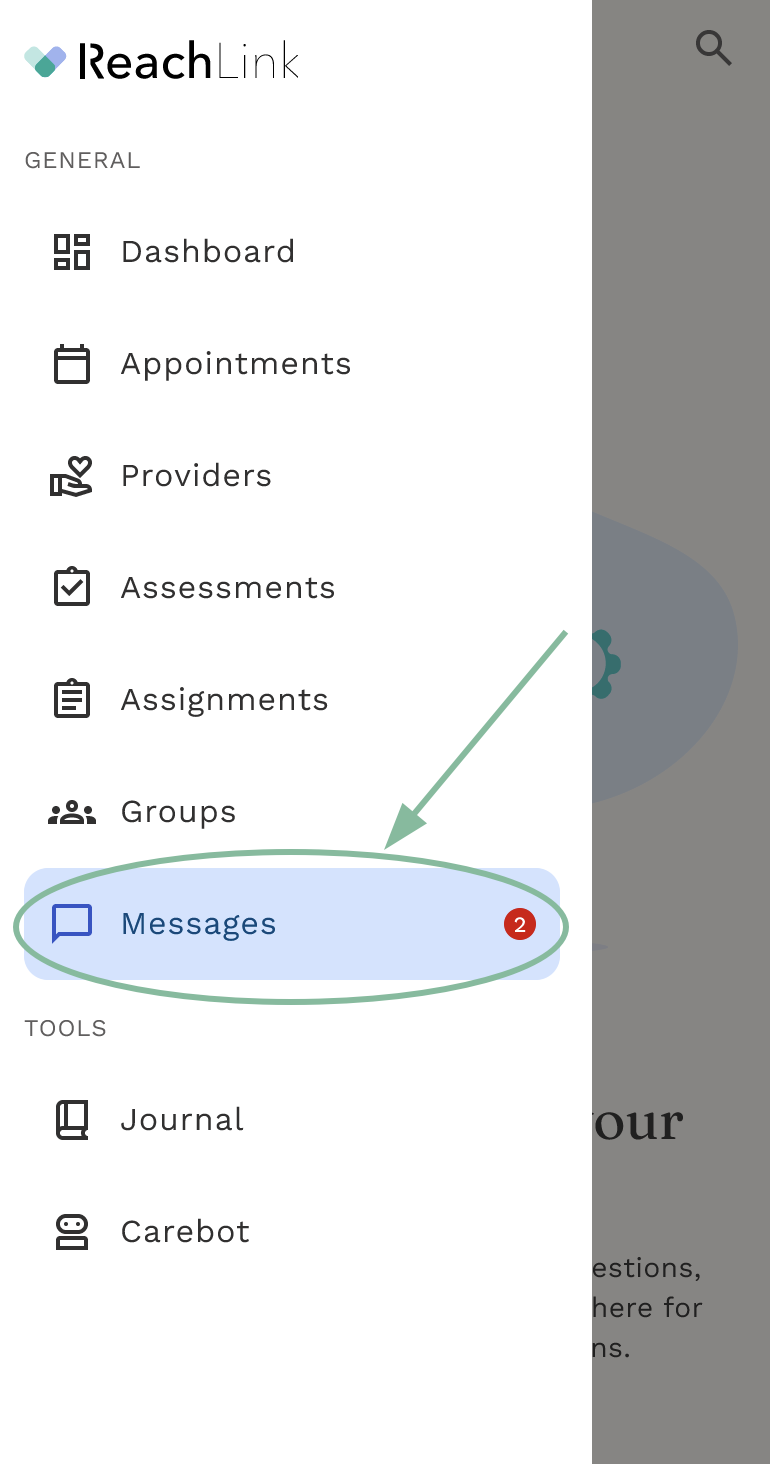
- Tap your provider's name to open your conversation, or tap New Message to start one.
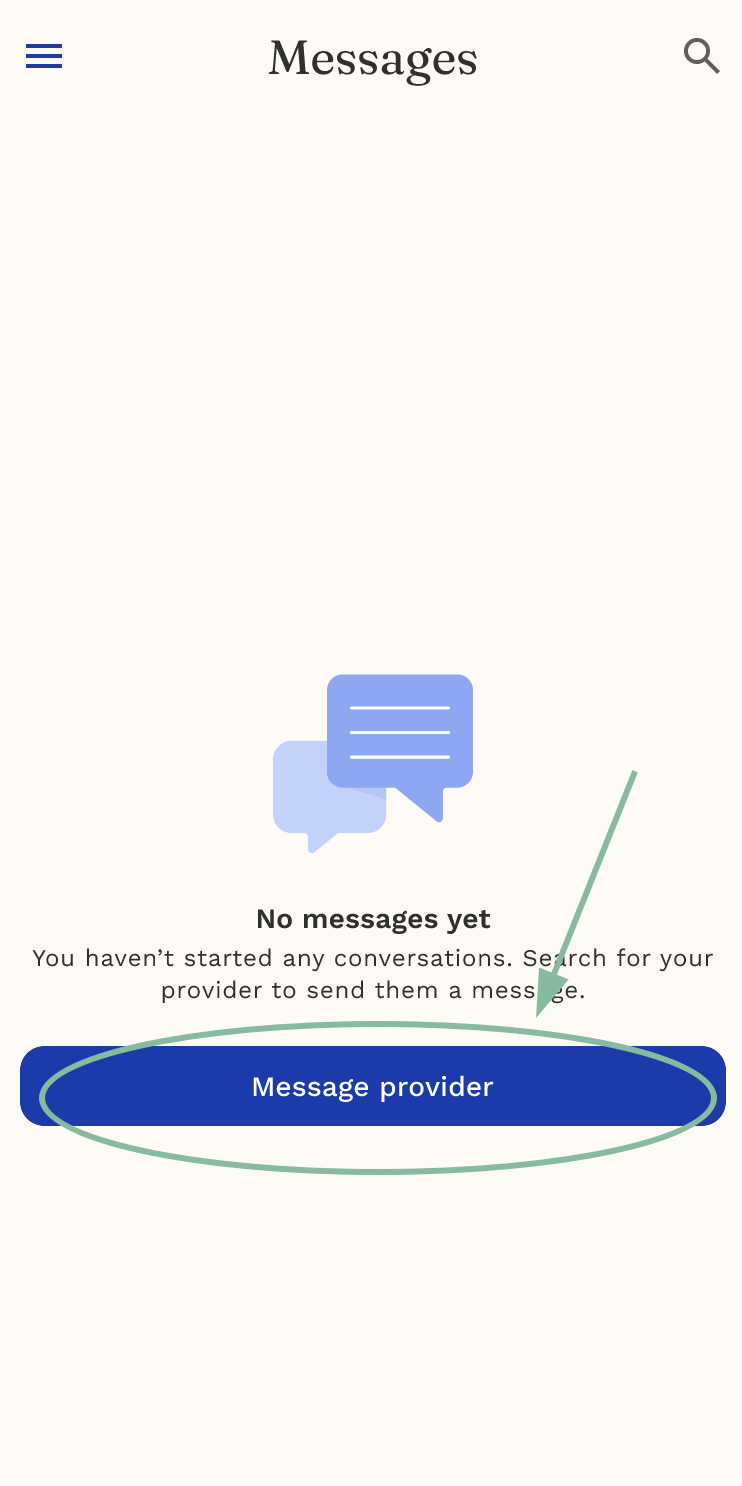
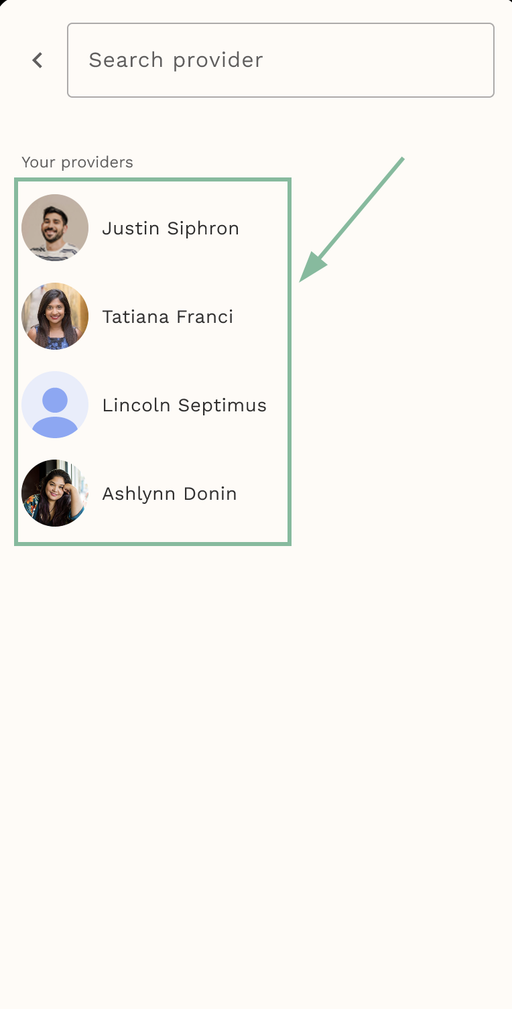
- Type your message and tap Send. Suggested quick messages are available if you want a fast way to say something common.
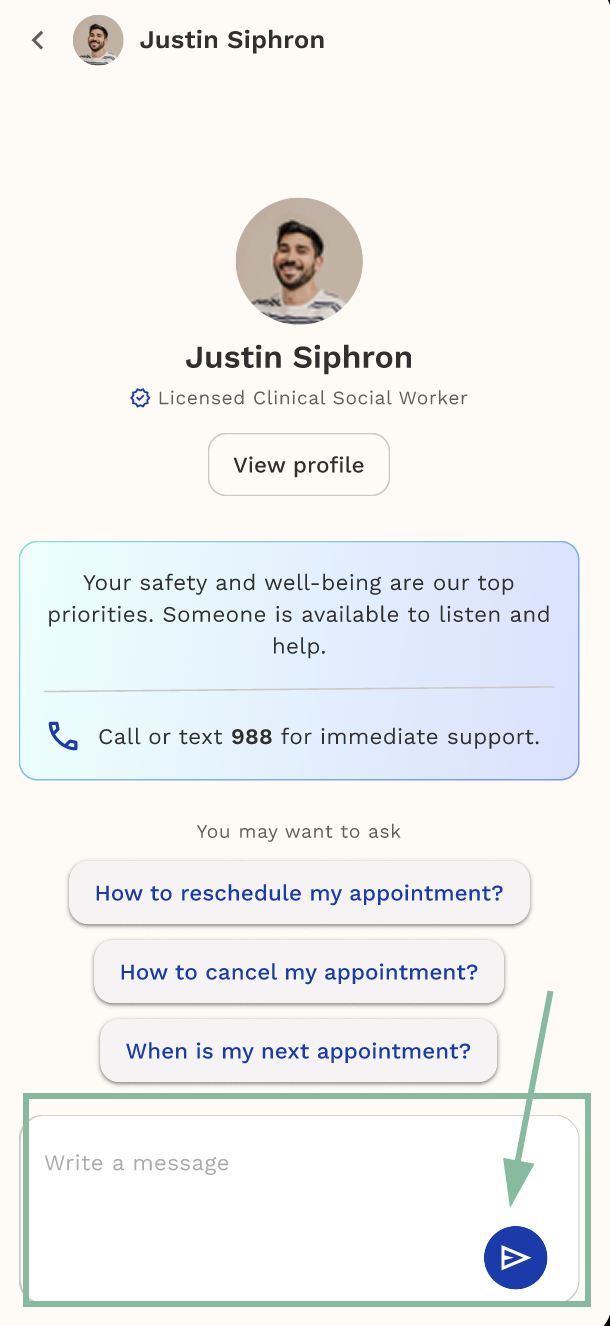
Starting a new conversation works a little differently until your provider replies: your first two messages send normally, ReachLink will check with you before sending a third, and a fourth won't go through until your provider responds. This just keeps things easy to follow for both of you.
- Watch for the badge on the Messages tab — it shows up whenever you have an unread reply.
From an open conversation, you can also tap your provider's name to see more about them.
If you see a safety message in your conversation
If something in your conversation raises a safety concern, ReachLink shows a safety card right in the chat with next steps and resources. This doesn't replace emergency help — if you're in crisis, call 988 (Suicide & Crisis Lifeline) or 911 right away.
If it doesn't work
If you can't send or receive messages, try closing and reopening the app first. If the problem continues, reach out below and we'll help sort it out.
If your provider isn't available on messaging
Messaging may not be available with every provider account. If this happens, you can still reach your care team another way:
- Contact Care Coordination at the number or email below
- Bring up anything you'd like to discuss during your next scheduled session
Message limits
To make sure your provider has a chance to respond, you can send up to a few messages in a row before needing to wait for a reply.
- After your first couple of messages, you'll see a note letting you know how many messages you have left before you'll need to wait: "You have 1 message left before waiting for your provider's reply."
- Once you've reached the limit, you won't be able to send another message until your provider responds: "You've reached the messaging limit. Please wait for your provider's reply."
How you'll know your provider messaged you
When your provider sends a message, you'll see a badge on the Messages tab in the app right away. Phone push notifications are still being rolled out, so for now the in-app badge is the most reliable way to spot new replies — just check Messages when you open the app.
Still need help?
We're here for you. Reach Care Coordination at:
- Phone: 833-588-7992
- Email: support@reachlink.com