
Assessments in the ReachLink app are simple check-ins designed to help you understand how you’re feeling and what you may need today. They take only a few minutes and offer gentle insights to support your journey.
Getting to the Assessments Section
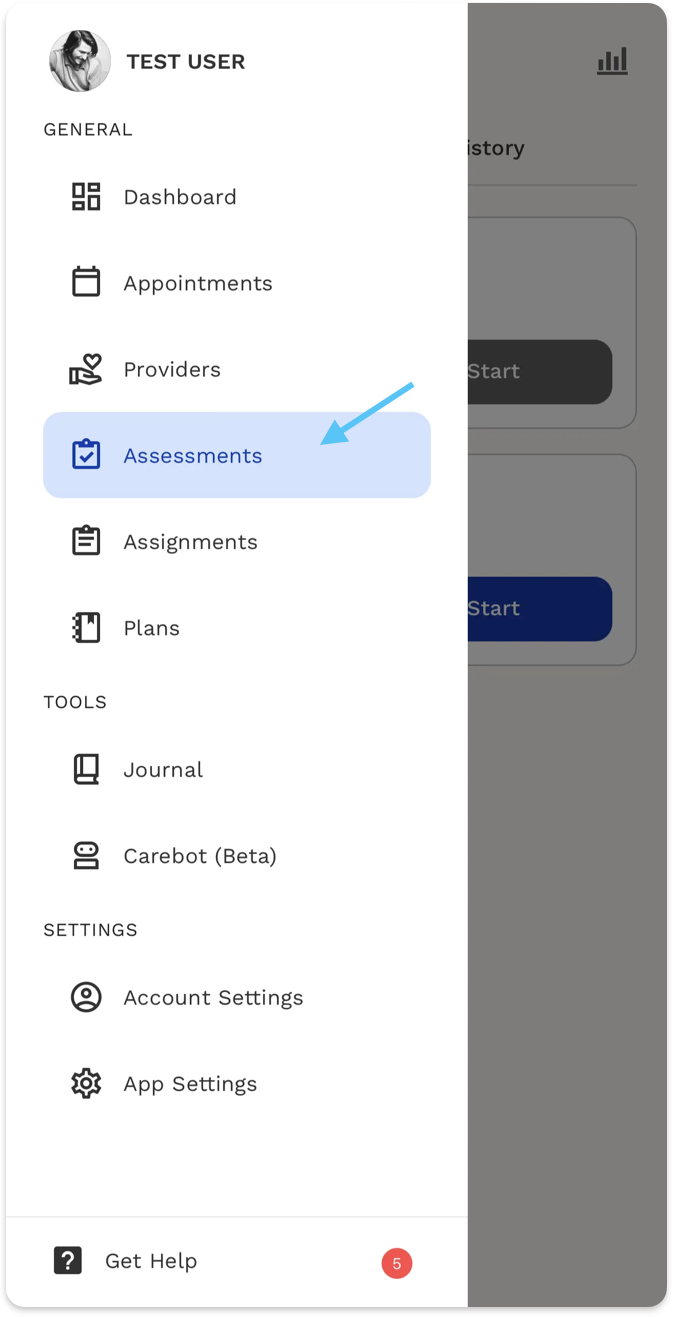
1. Open the main menu
Tap the menu icon in the upper-left corner of the app to open the navigation panel.
2. Select “Assessments”
From the menu, tap Assessments to enter the assessment home page.
You’ll see an introduction explaining what assessments are and how they help.
Assessment Library, History & Insights
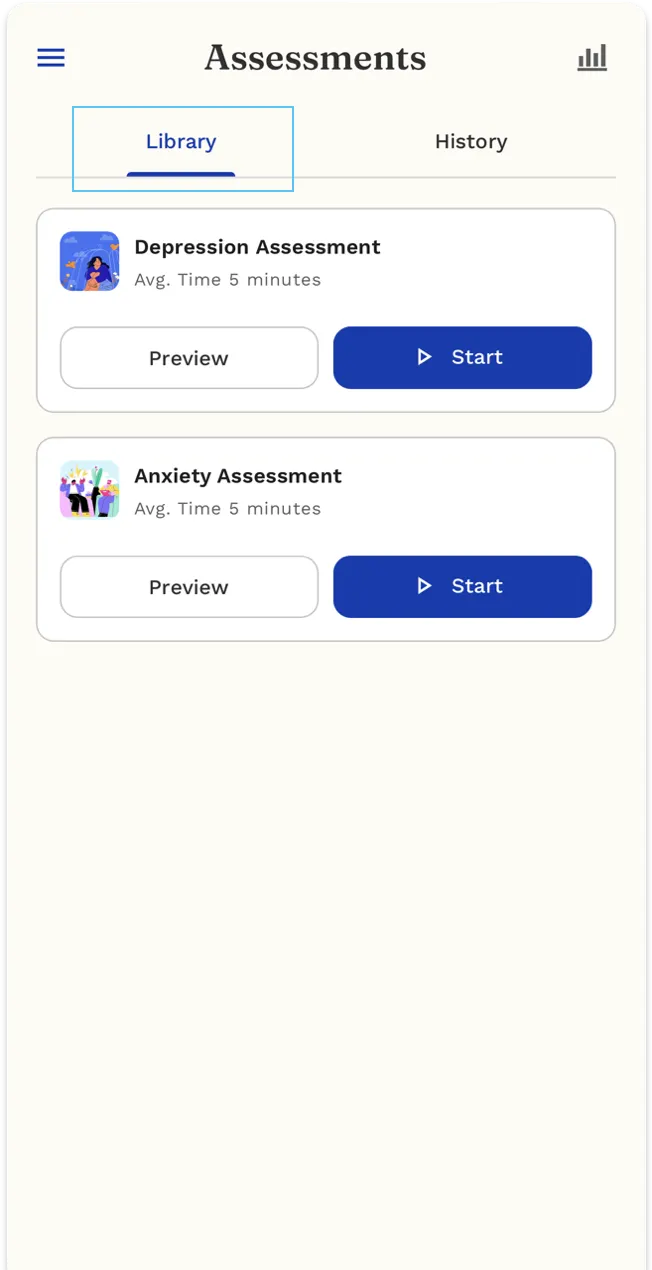
At the Assessment Library, you can:
- Choose an assessment (e.g. Anxiety or Depression).
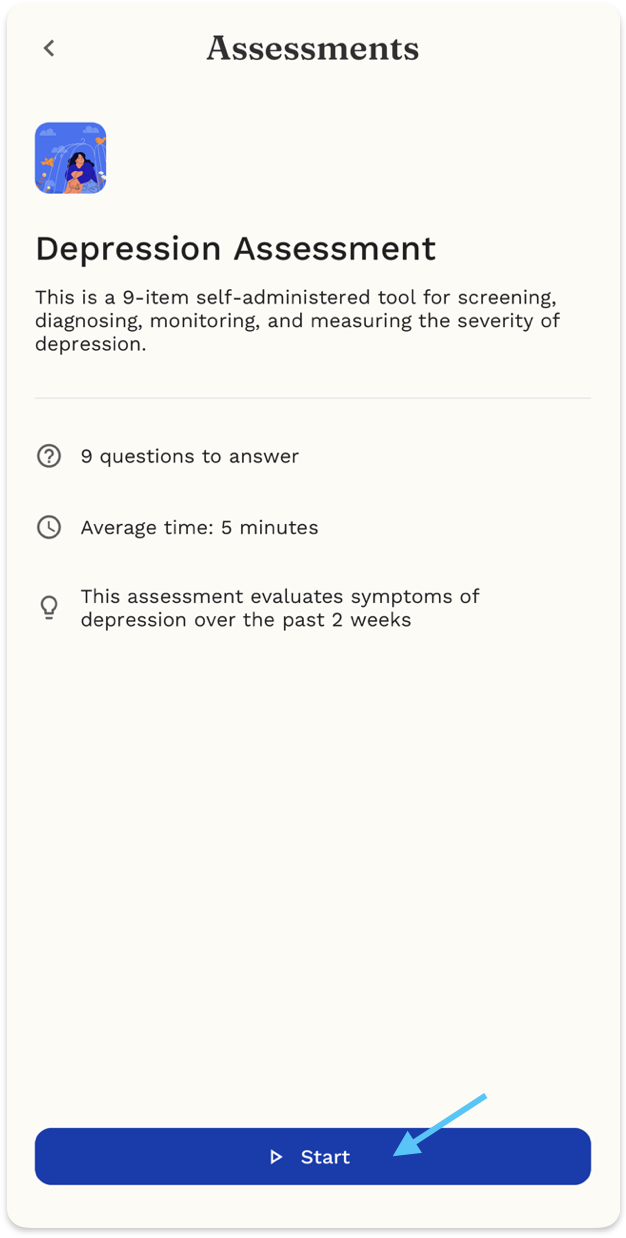
- Click Preview to see the questions, or Start to begin.
- Answer all the questions shown.
- Submit/complete the assessment after the last question.
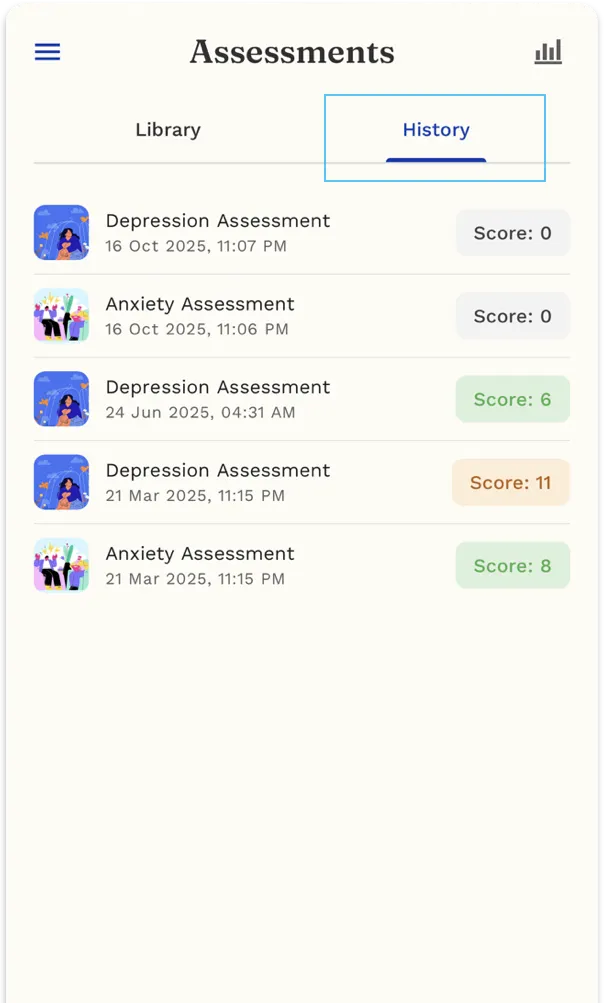
To view your past assessments:
- The History page shows all completed assessments in a list.
- Each assessment displays:
- Assessment type (e.g., Anxiety, Sleep, Depression)
- Date and time it was completed
- Score result
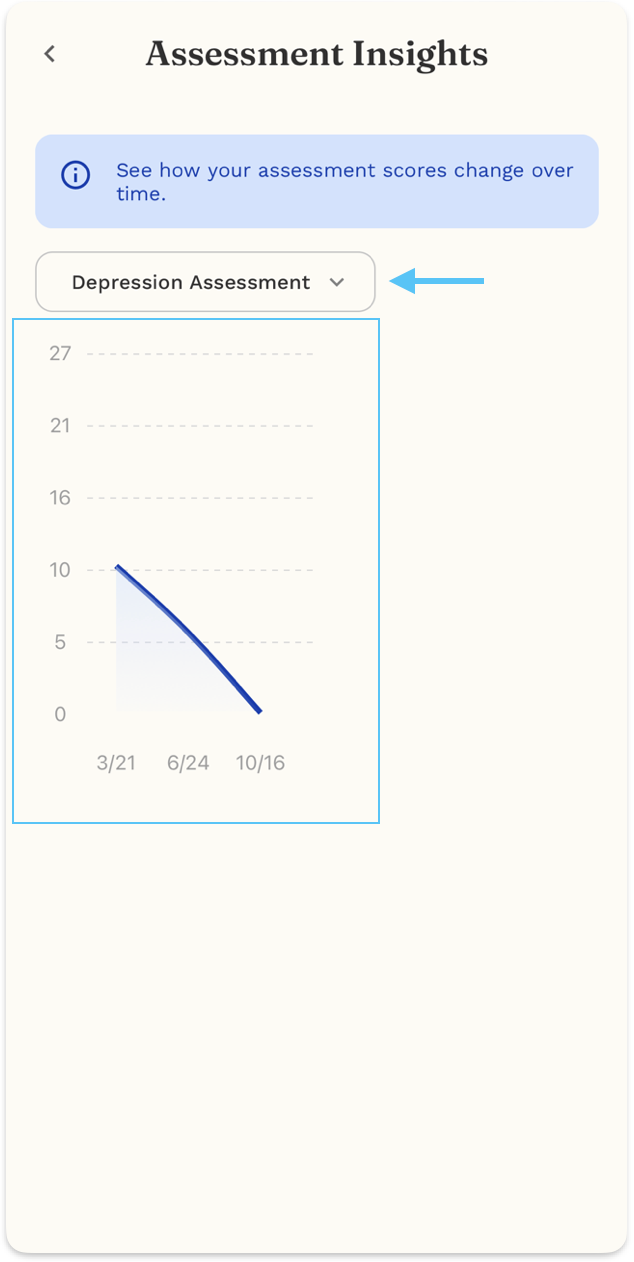
Review your charted insights
The Assessment Insights page shows how your assessment scores change over time.
- Use the dropdown to select an assessment type (e.g., Depression, Anxiety, Sleep).
- The chart displays your scores across different dates, helping you track progress or trends.
- Lower or higher scores over time help you understand if your condition is improving or changing.
This page is for tracking and self-awareness, not for diagnosis.
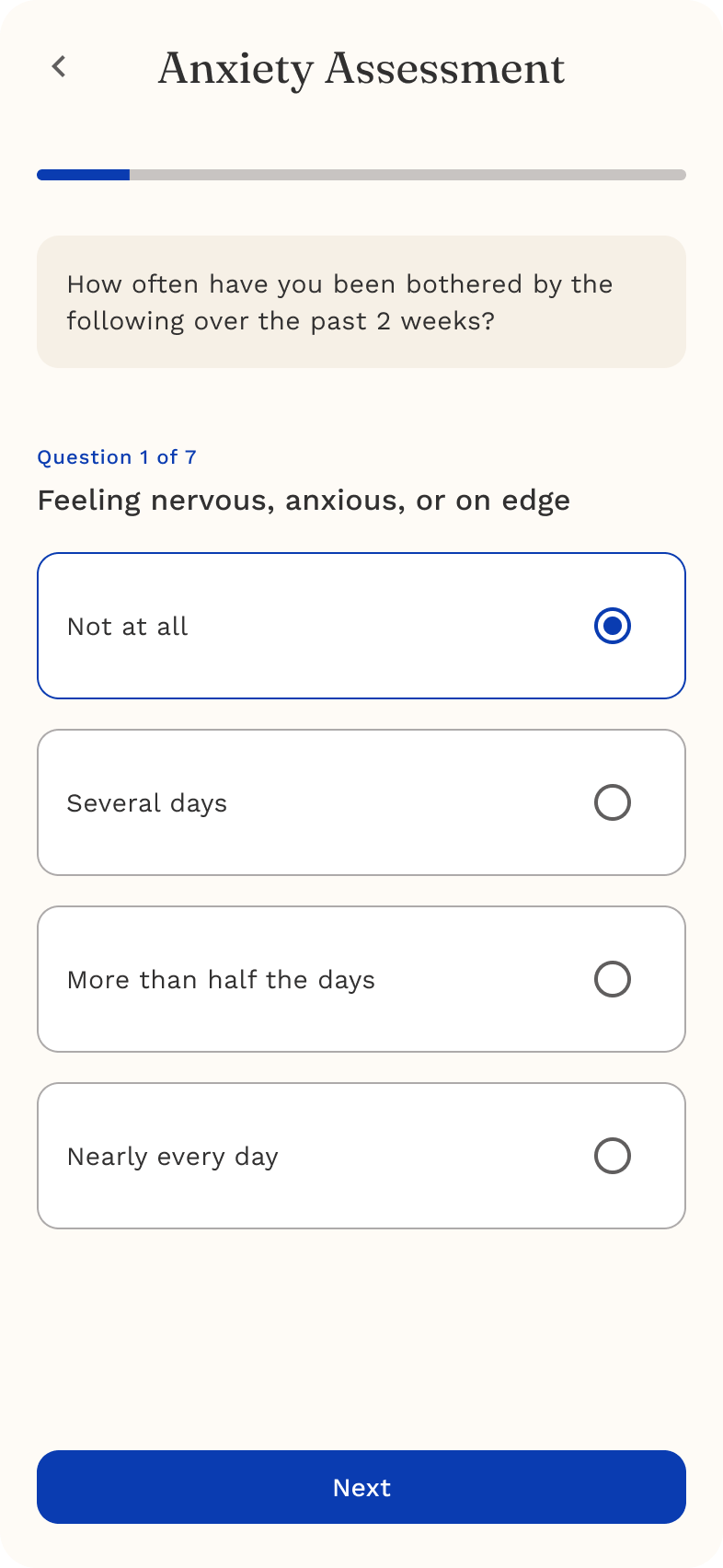
Example: Anxiety Assessment
The Anxiety Assessment asks a series of questions about worry, restlessness, sleep, and how much these feelings affect your daily routine.
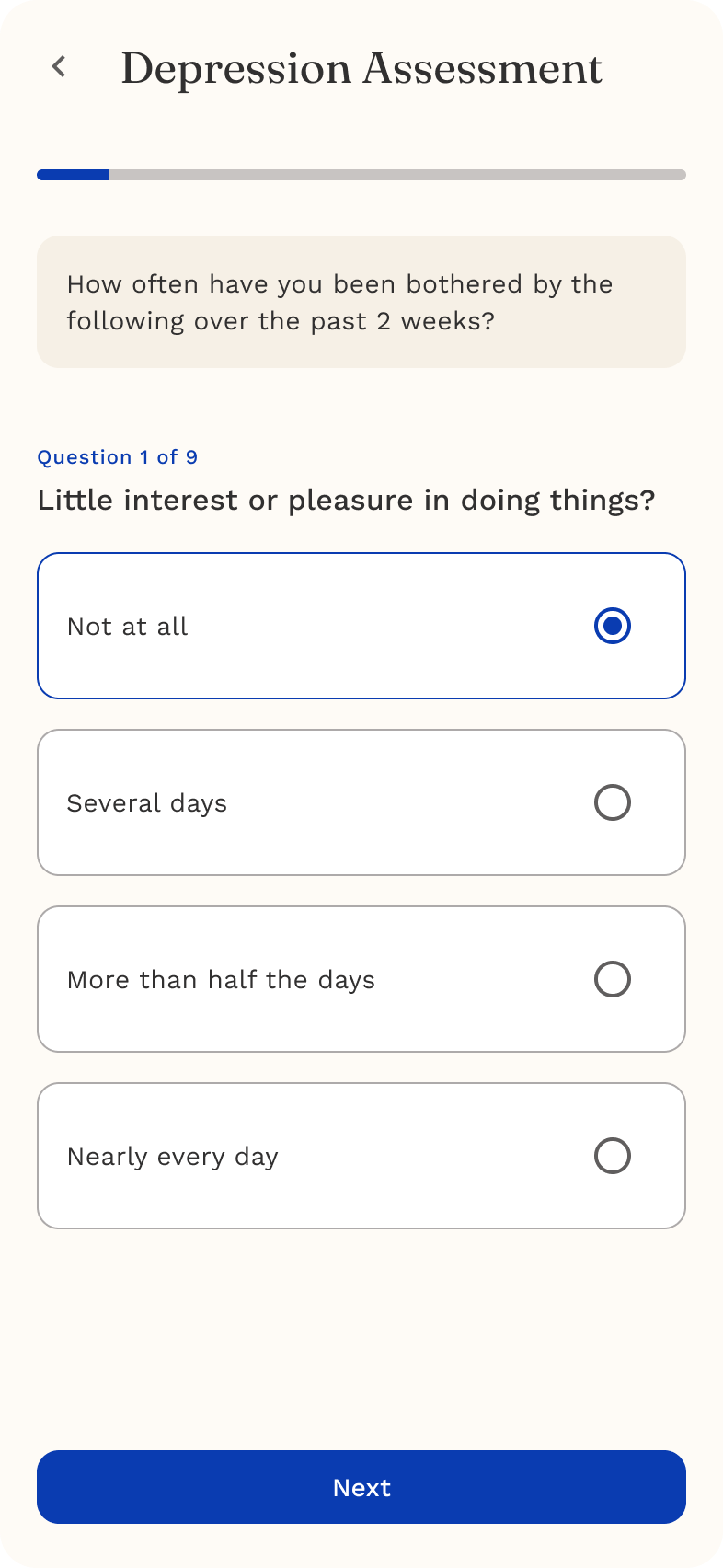
Each question screen includes:
- A clear question
- Multiple-choice responses
- A “Next” button
- A progress indicator showing where you are
Example: Depression Assessment
The Depression Assessment helps you check in on mood, motivation, interest, energy, and overall emotional well-being.
Privacy & Confidentiality
Your assessment responses are private and protected under HIPAA.
- Only you and your ReachLink care team can view your results
- They are never shared with anyone outside your care
- They exist solely to help support your wellness
We take your privacy seriously, and everything you share is handled with care.
Tips for a Supportive Assessment Experience
- Answer honestly — there are no right or wrong answers
- Take your time
- If something doesn’t apply, choose the response that feels closest
- It’s okay if your answers change day-to-day — that’s what assessments are for