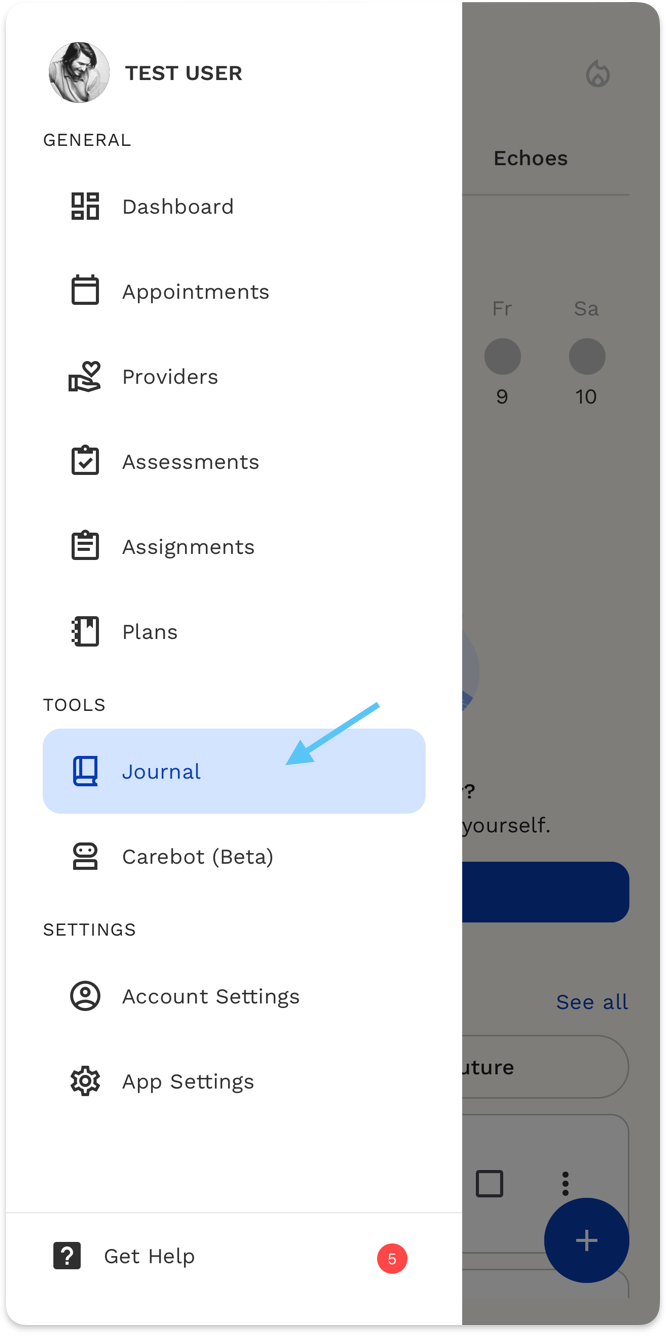
Where to Find the Journal
- Open the ReachLink app.
- Tap the menu (☰) icon.
- Select Journal.
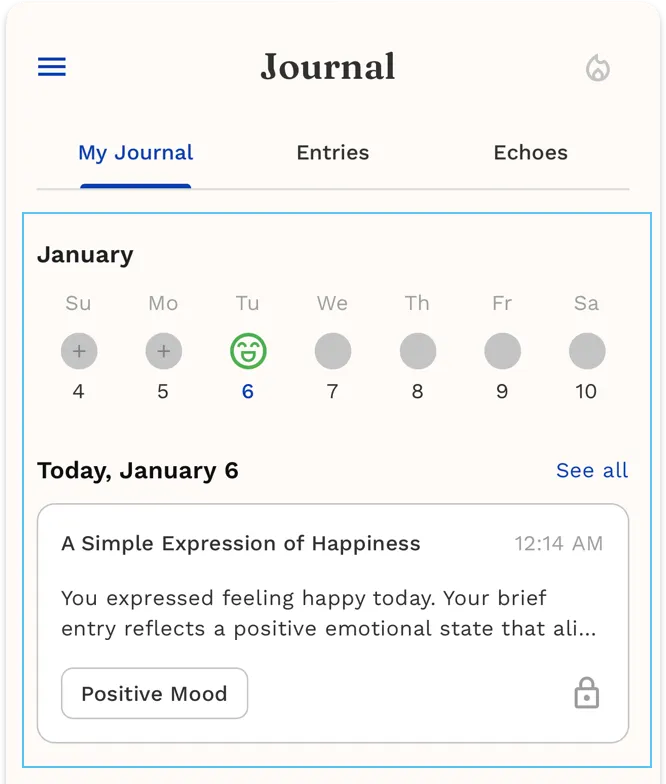
My Journal
Pick a date
- In My Journal, find the calendar at the top.
- Tap a date to view that day’s journal.
Read a journal entry
- Scroll to Today, [date].
- Tap an entry card to open it.
- Review the full entry.
You may see:
- A mood label (example: Positive Mood)
See all entries for the day
- Tap See all next to the date.
- Select any entry to read it.
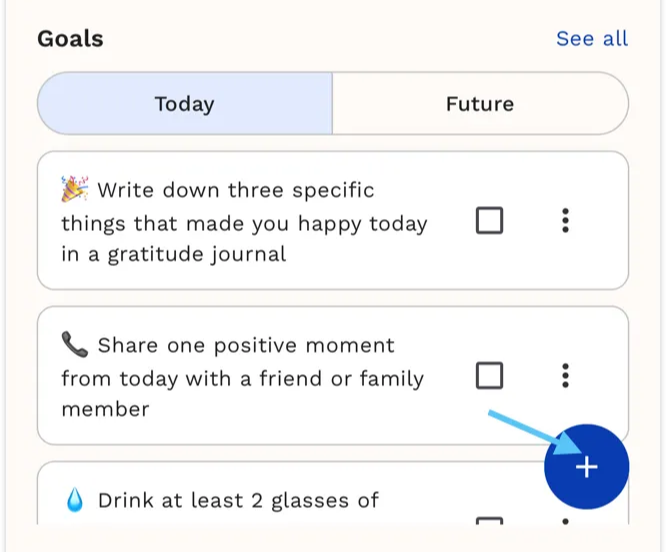
Goals
View and complete goals
- Scroll down to Goals.
- Choose Today or Future.
- Tap the checkbox to complete a goal.
- Tap ⋮ to manage a goal.
Add a new journal entry
- Tap the + button in the bottom-right.
- Write your journal entry.
- Save when finished.
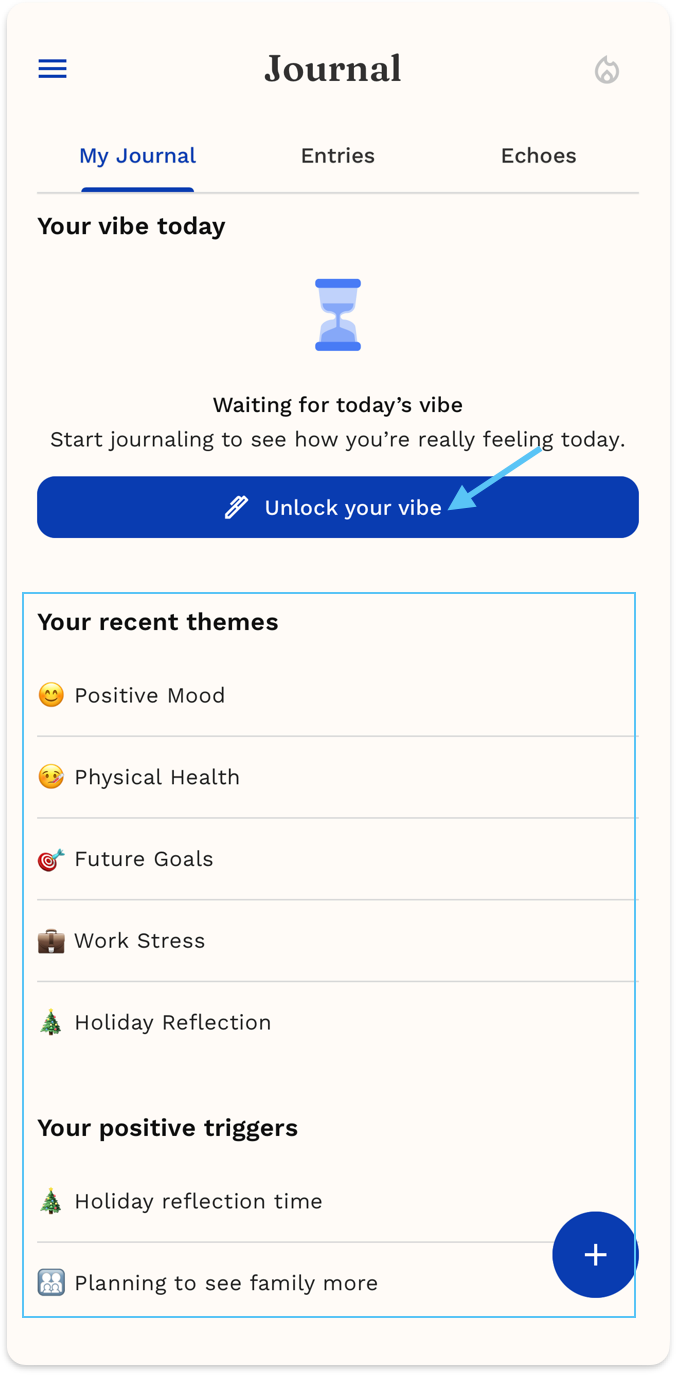
Unlock Your Daily Vibe
Your Daily Vibe is a short emotional snapshot of your day, created from your journal entries.
Summary Insights
Insights help you understand patterns in your emotions, habits, and experiences based on your journal entries. They update automatically as you journal more.
Scroll to see:
- Recent themes (what you’ve been journaling about)
- Positive triggers (what lifts your mood)
- Emotional triggers (what affects your emotions)