
ReachLink wants to know how your sessions are going. This guide explains the ways you can share feedback about your provider, whether through your Provider Assessment form or by reaching out to our Care Support team.
After your first session with a provider, you'll receive a Provider Assessment form — this is a one-time prompt issued specifically after your first session with that provider.
How to Complete Your Provider Review Assessment
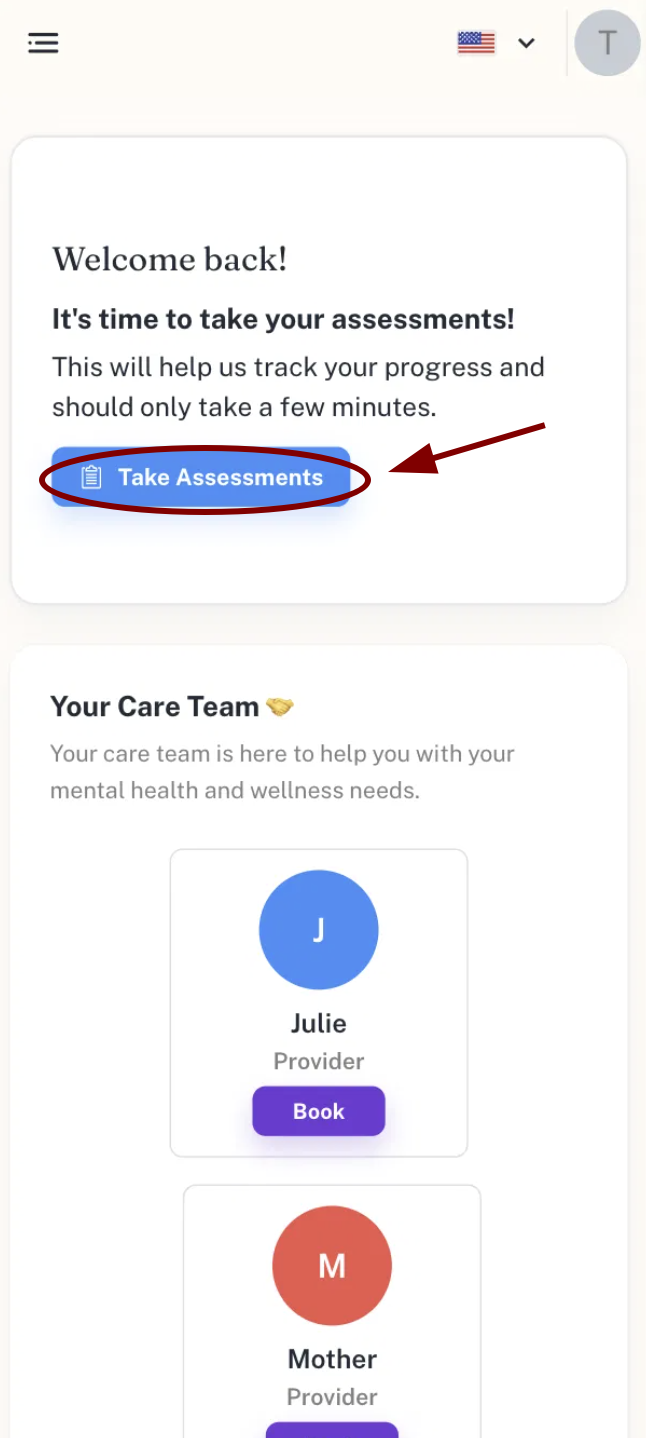
- From your dashboard, tap Take Assessments.
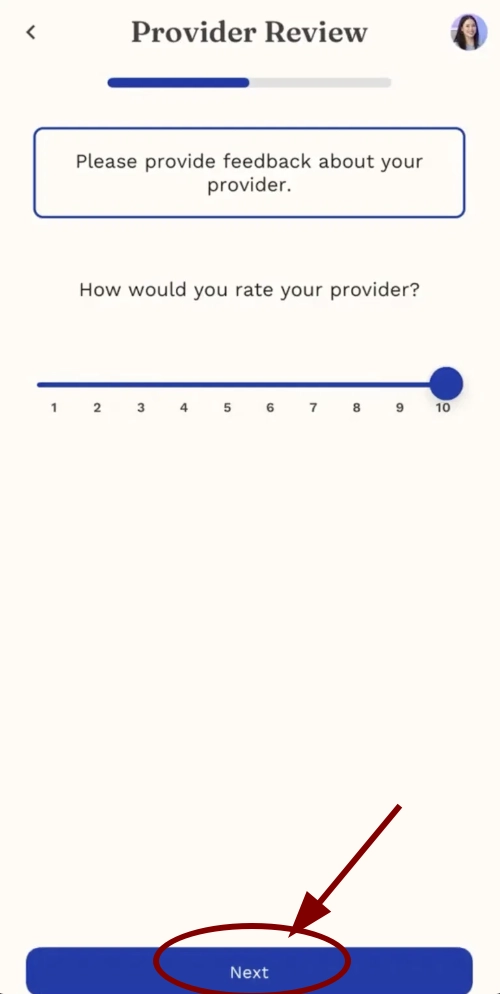
- On the Provider Review screen, read the prompt: "Please provide feedback about your provider."
- Rate your experience by moving the slider from 1 to 10, then tap Next.
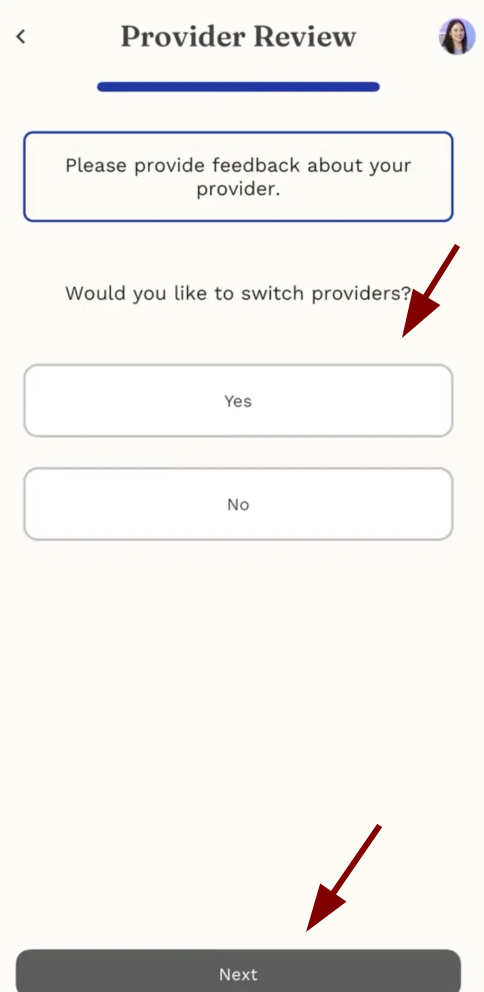
- Answer "Would you like to switch providers?" by selecting Yes or No, then tap Next.
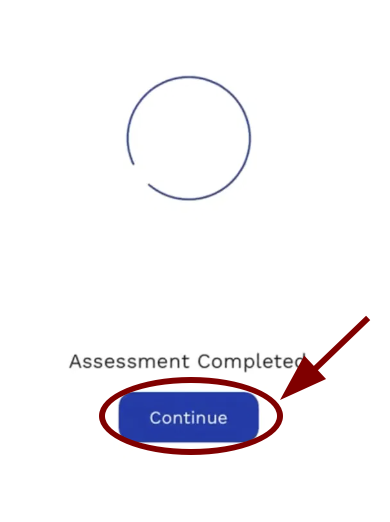
- Once submitted, you'll see the Assessment Completed confirmation screen.
- Tap Continue to finish.
Alternative: Contacting Care Support
If you'd like to share feedback outside of the assessment — or if you have more detailed comments you'd like to pass along — you can reach out directly to our Care Support team:
Email: support@reachlink.com
In the app: Tap “Get Help”