
Sometimes the appointment times shown online may not fit your schedule, or you may want an earlier session with your provider. ReachLink offers a way to request specific availability when the standard calendar options aren’t sufficient.
Check Online Availability First
- Always review your provider’s calendar in the ReachLink app or web portal before submitting a request.
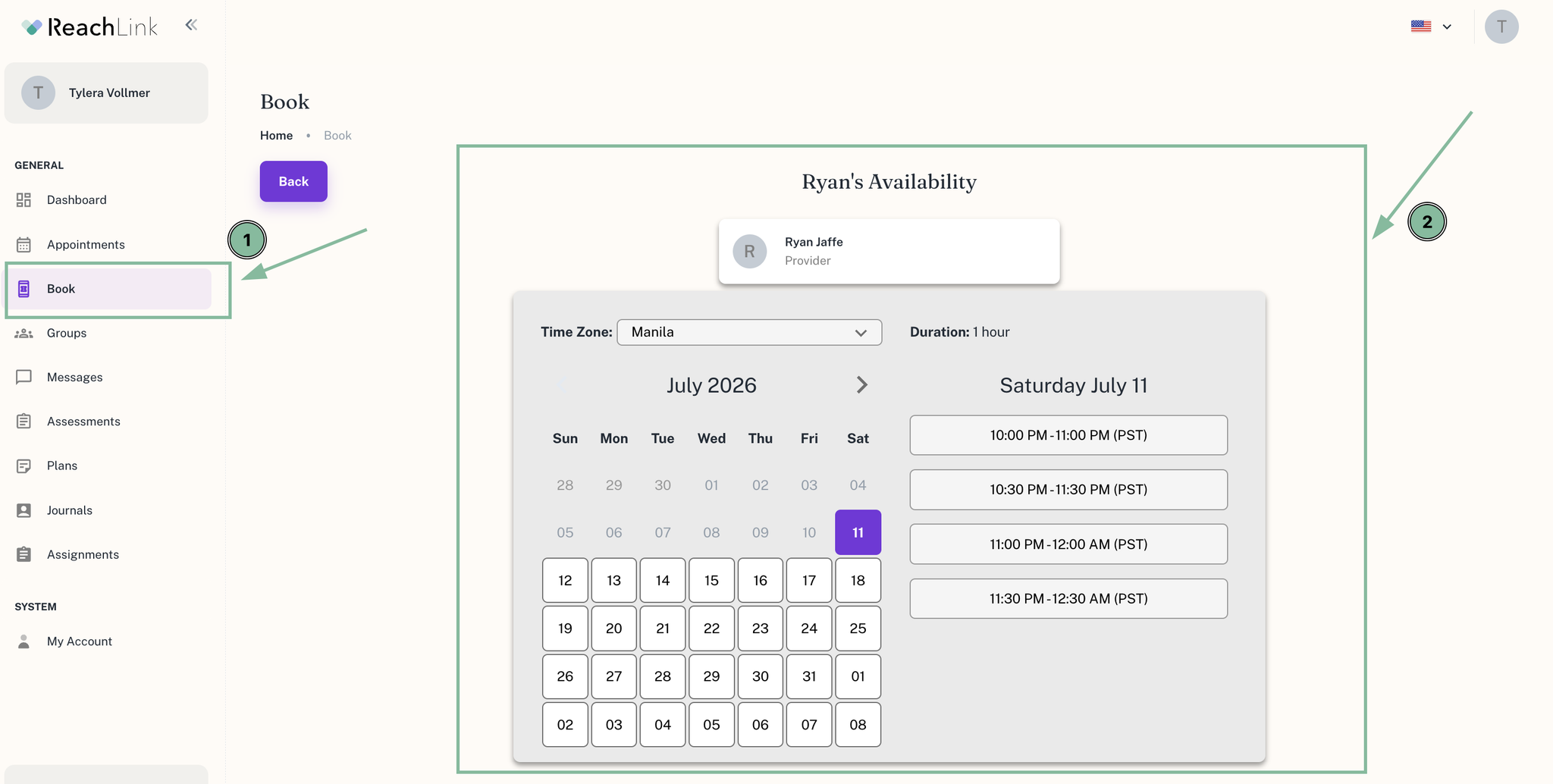
- Many sessions are available for self-booking, so an online search may save time.
When to Submit a Request
- You cannot find an appointment time that works with your schedule.
- You already have a scheduled session but want to move it sooner.
- You have specific timing needs due to work, personal commitments, or urgent care requirements.
How to Request Specific Availability
The fastest way is to message your provider directly in the ReachLink app:
- Open Messages and open your conversation with your provider (or start one).
- Let them know the days/times that would work better for you, and why, if you'd like.
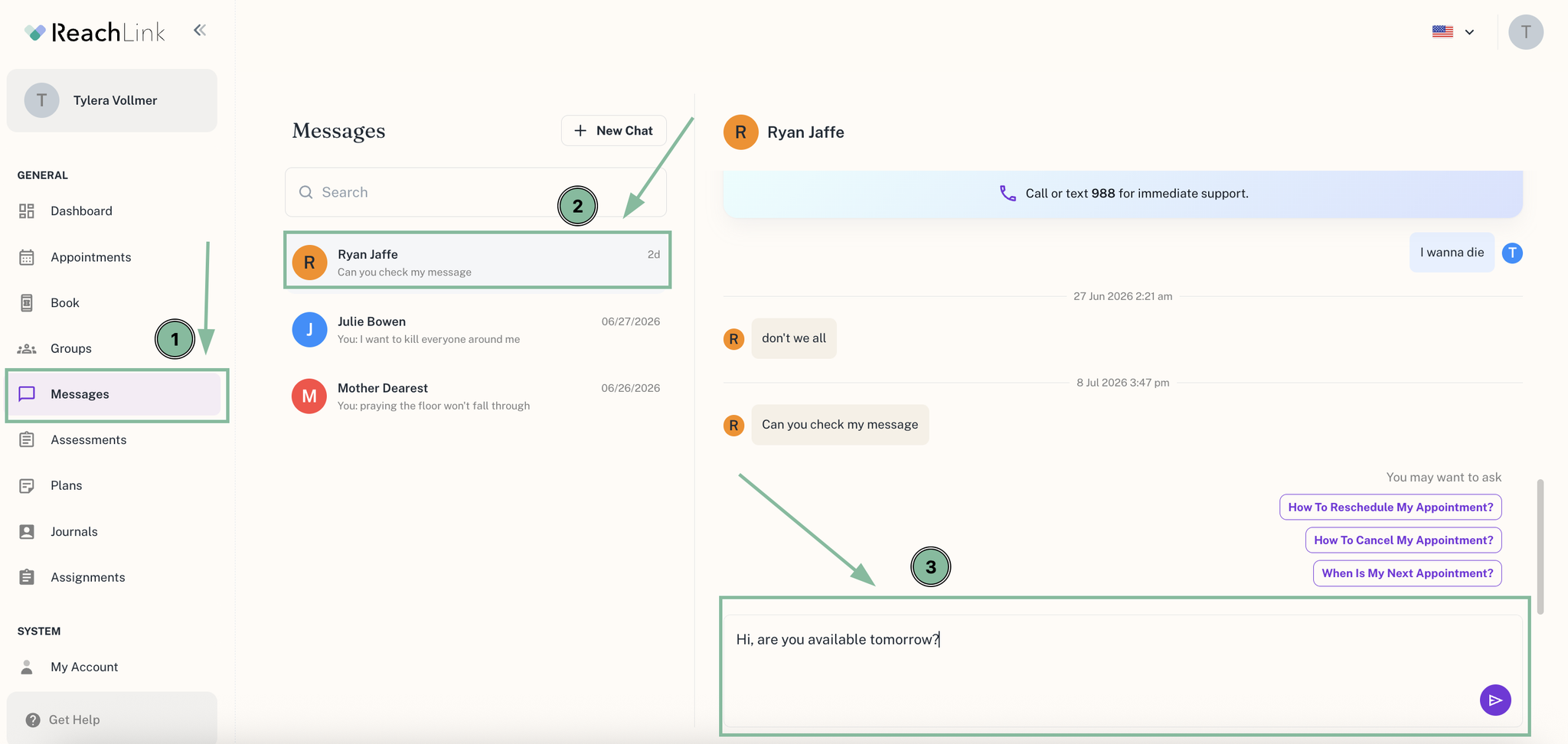
Your provider can adjust their availability or offer you a matching time.
If you don't hear back from your provider within a reasonable time, or you'd like extra help, reach out to Care Coordination:
- In the app: Get Help
- Email: support@reachlink.com
What to Expect
- Most providers will reply to your message directly and let you know about openings.
- Requests are accommodated whenever possible, but availability cannot be guaranteed.
- If Care Coordination steps in, they'll follow up with your provider and get back to you.