You can browse group sessions led by ReachLink providers, join one that fits your needs, and take part right from the app — on your own terms, including staying anonymous if you'd like.
How to do it
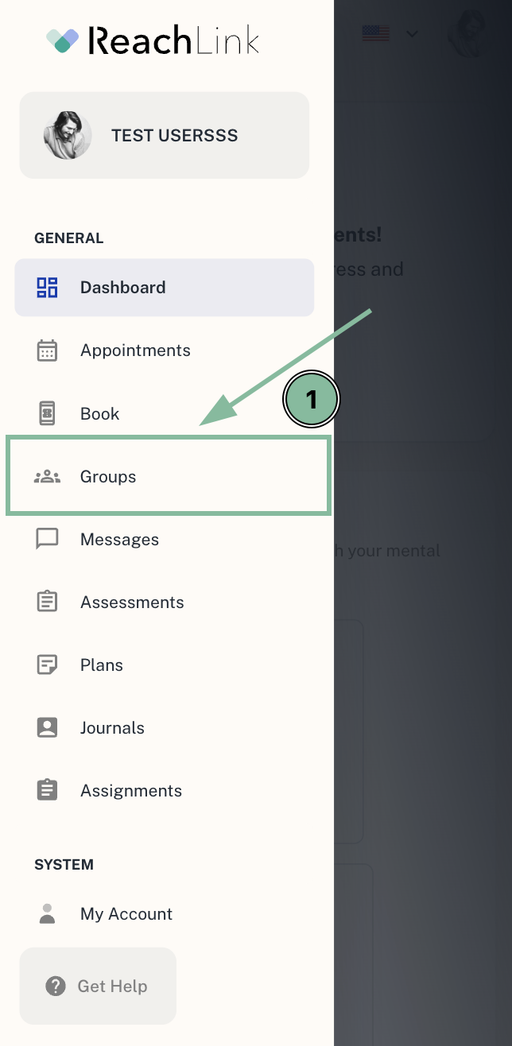
- Open Groups in the app to browse sessions by provider or topic. You'll only see groups available in your state.
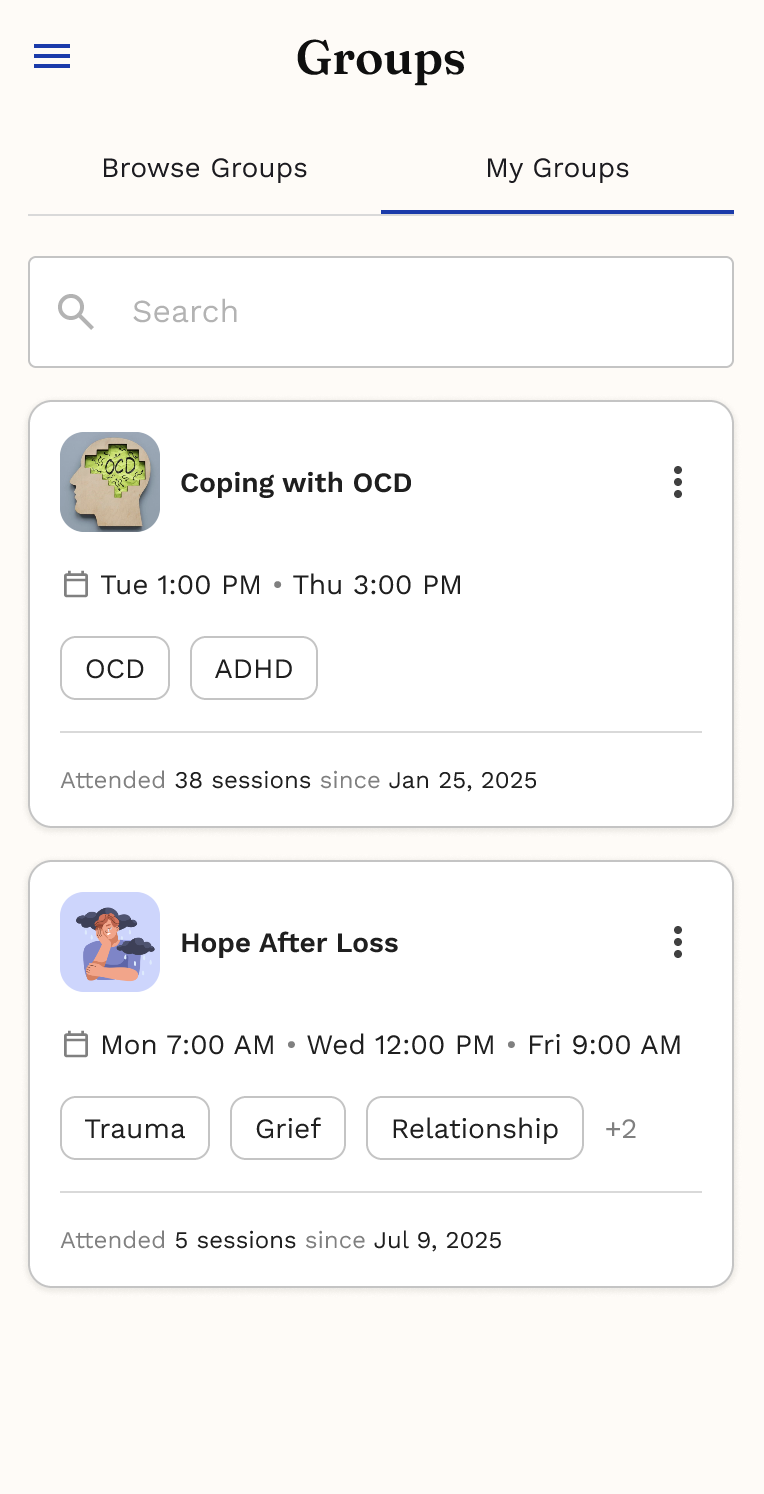
- Tap a group to see its schedule, provider, and details, then join or RSVP if there's an upcoming session you want to attend. You'll get a reminder 24 hours ahead.
- If a group is full, you can join the waitlist and get in if a spot opens up.
- Some groups require a subscription. If so, you'll see the plan and pricing before you join, and you can view or cancel your subscription anytime — if you cancel, you'll keep access through the end of your current billing period.
During a session
You're in control of how you show up:
- Turn your camera or microphone on or off.
- Use a nickname if you'd rather not share your name.
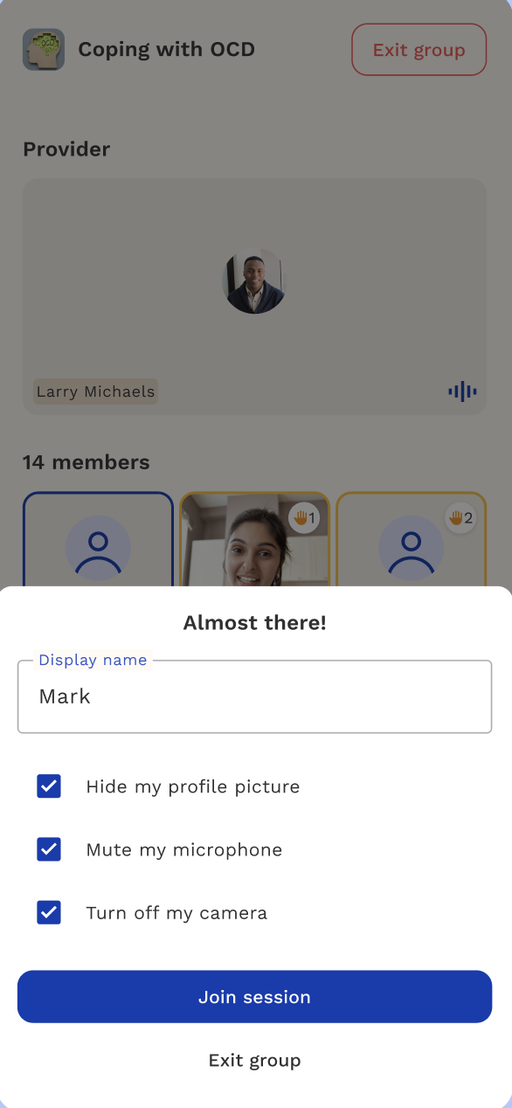
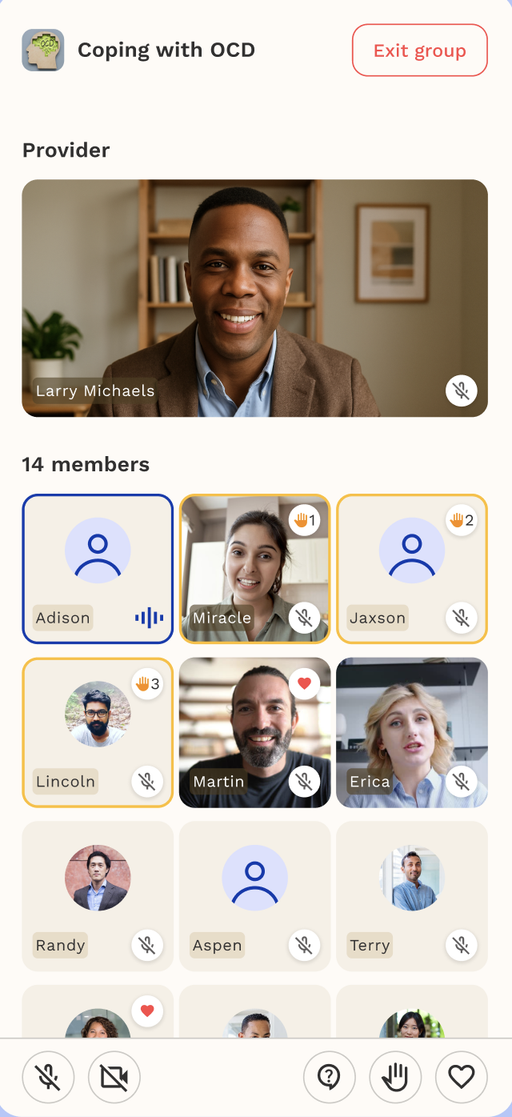
- Raise your hand to ask to speak, or send a supportive reaction without interrupting.
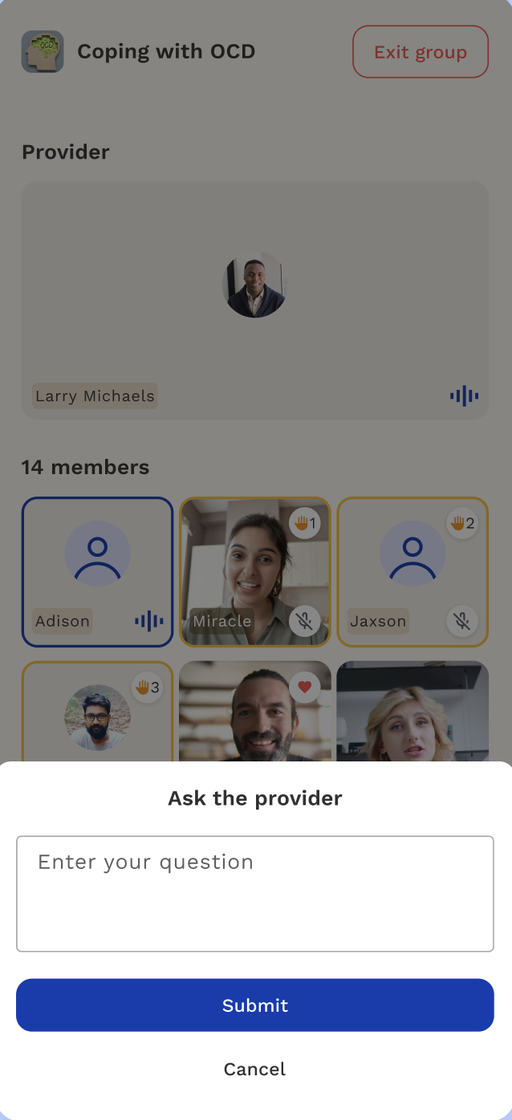
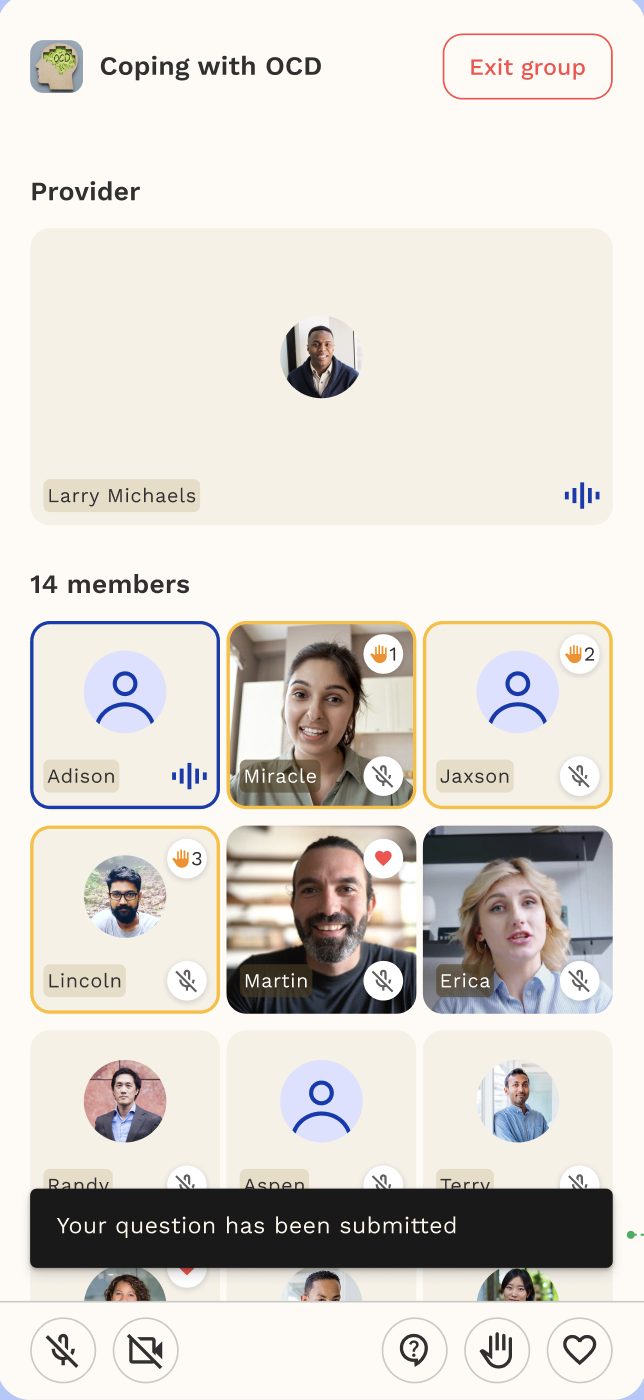
- Type a question for the provider if you're not ready to speak out loud.
Joining a Waitlist
If a group is full, you can join its waitlist to be automatically added once a spot opens up.
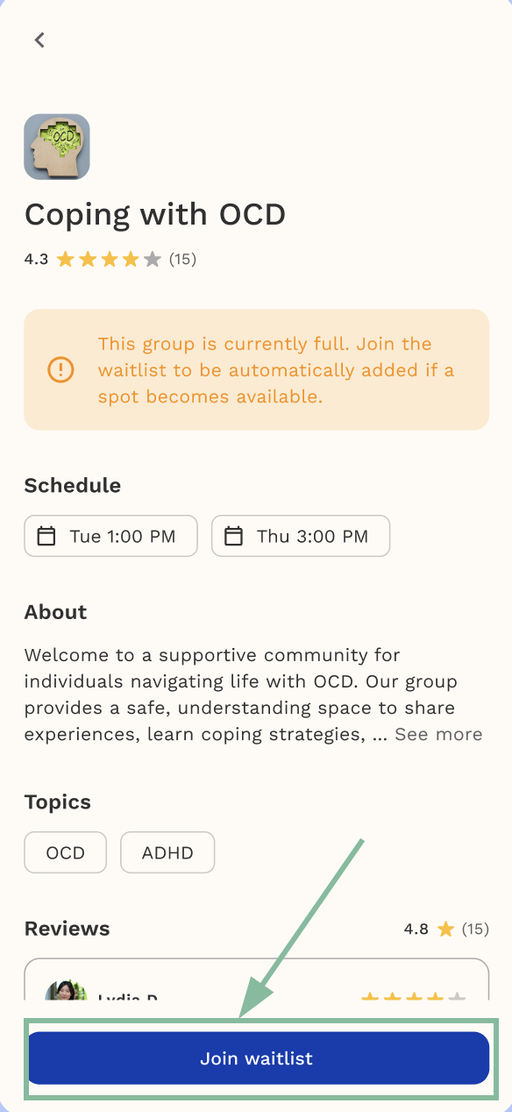
- From Browse Groups, open the group you're interested in
- If the group is full, you'll see a note:
"This group is currently full. Join the waitlist to be automatically added if a spot becomes available."
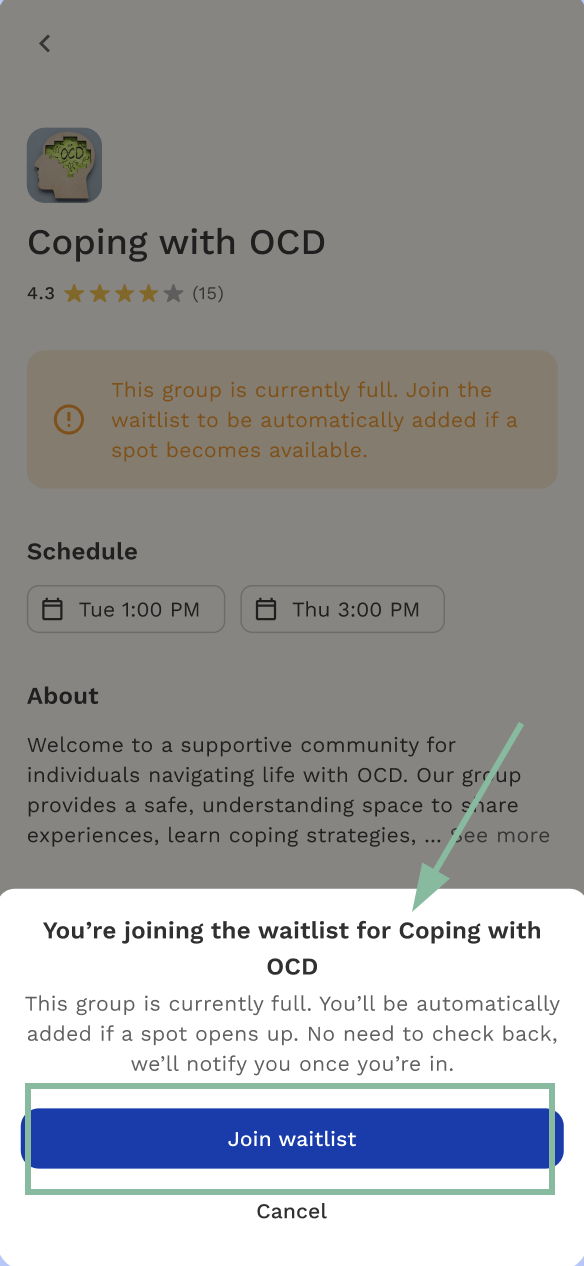
- Tap Join waitlist
- Confirm in the pop-up:
"You're joining the waitlist for [Group Name]. This group is currently full. You'll be automatically added if a spot opens up. No need to check back, we'll notify you once you're in."
- Tap Join waitlist again to confirm
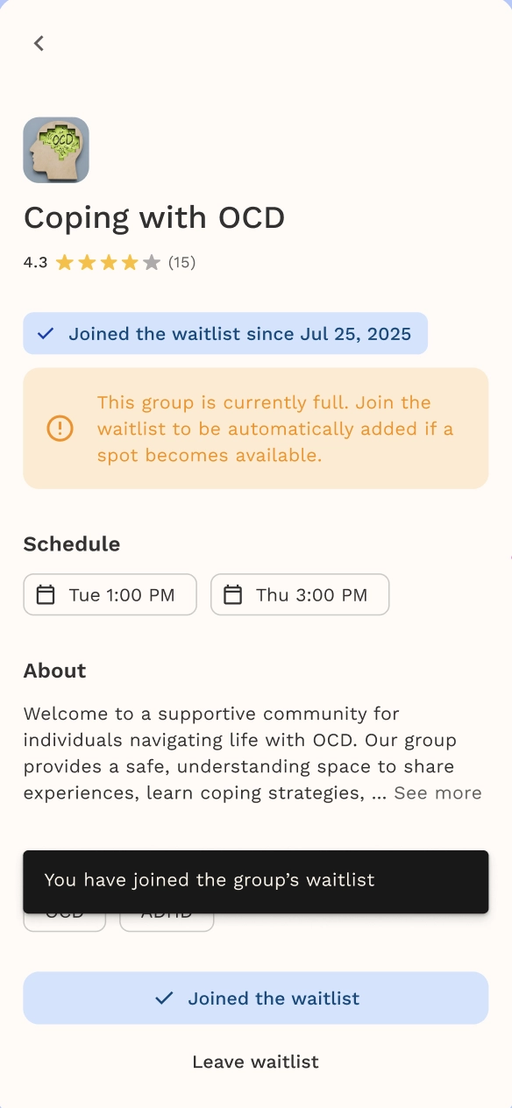
Once joined, the group page will show "Joined the waitlist since [date]" at the top, along with a confirmation banner: "You have joined the group's waitlist."
If you no longer want to wait for a spot, tap Leave waitlist from the group's page.
Leaving a Group
If you'd like to stop attending a group, you can leave anytime from My Groups.
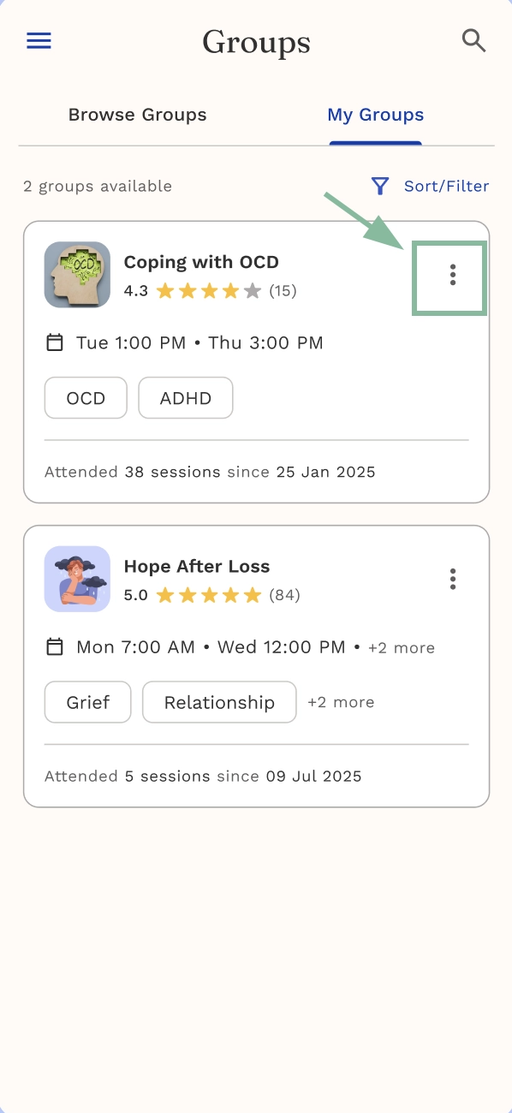
- Go to Groups > My Groups
- Tap the group you want to leave (or tap ⋮ on the group card)
- In the Update group window, find Want to leave this group?
- Tap Leave group
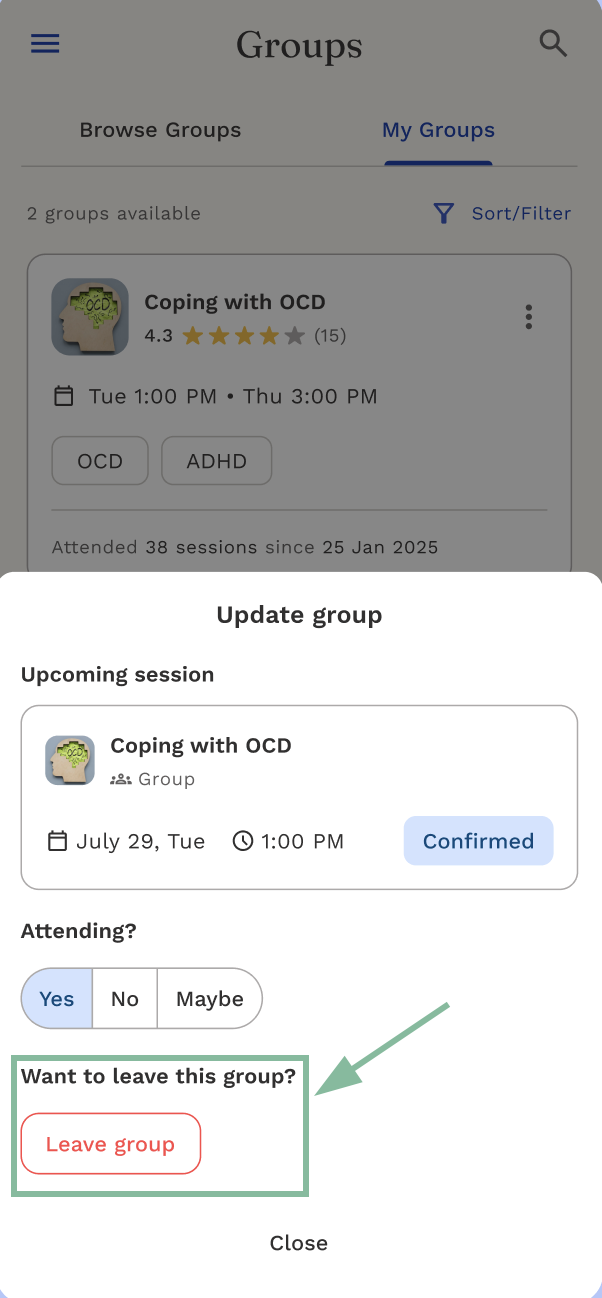
Once you leave, the group will no longer appear in your My Groups list. You can rejoin later from Browse Groups if space is available.
If it doesn't work
If you can't find a group that fits, or a session isn't showing up the way you expect, try refreshing the Groups page or checking that you're browsing sessions available in your state.
Still need help?
We're here for you. Reach Care Coordination at:
- Phone: 833-588-7992
- Email: support@reachlink.com