
The Appointments section helps you stay organized and connected with your providers. Here, you can view, schedule, and manage your therapy all in one place.
Open your Appointments page
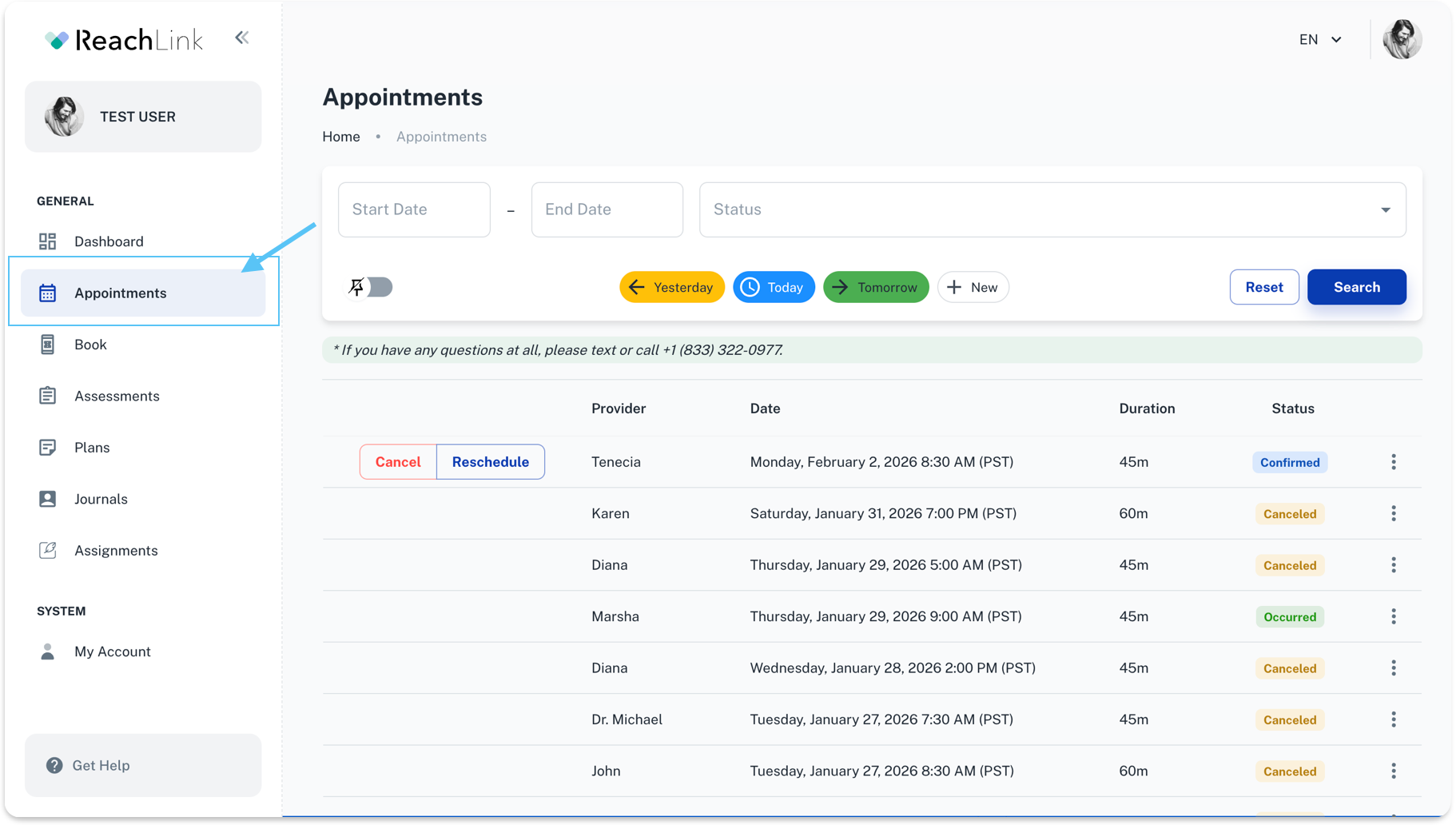
From the left menu, click Appointments to see your full session list.
Find the appointment you need
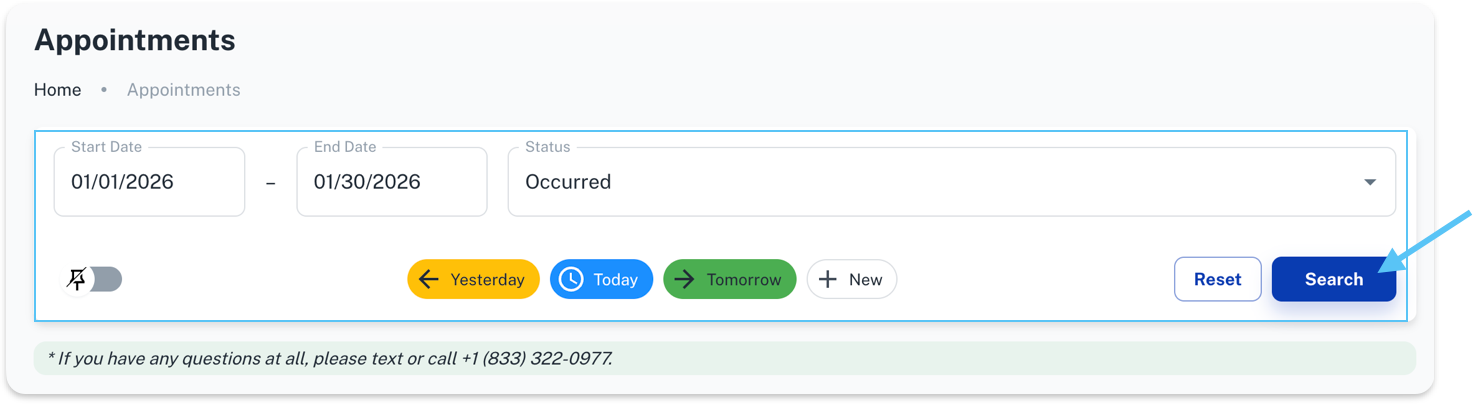
You can use any of these options:
- Scroll through the list
- Use the quick buttons: Yesterday, Today, or Tomorrow
- Choose a Start Date and End Date to filter by date range
- Use the Status dropdown (ex: Confirmed, Canceled, Ocurred etc.)
- Click Search to apply your filters
- Click Reset to clear filters and show everything again
Reschedule an appointment
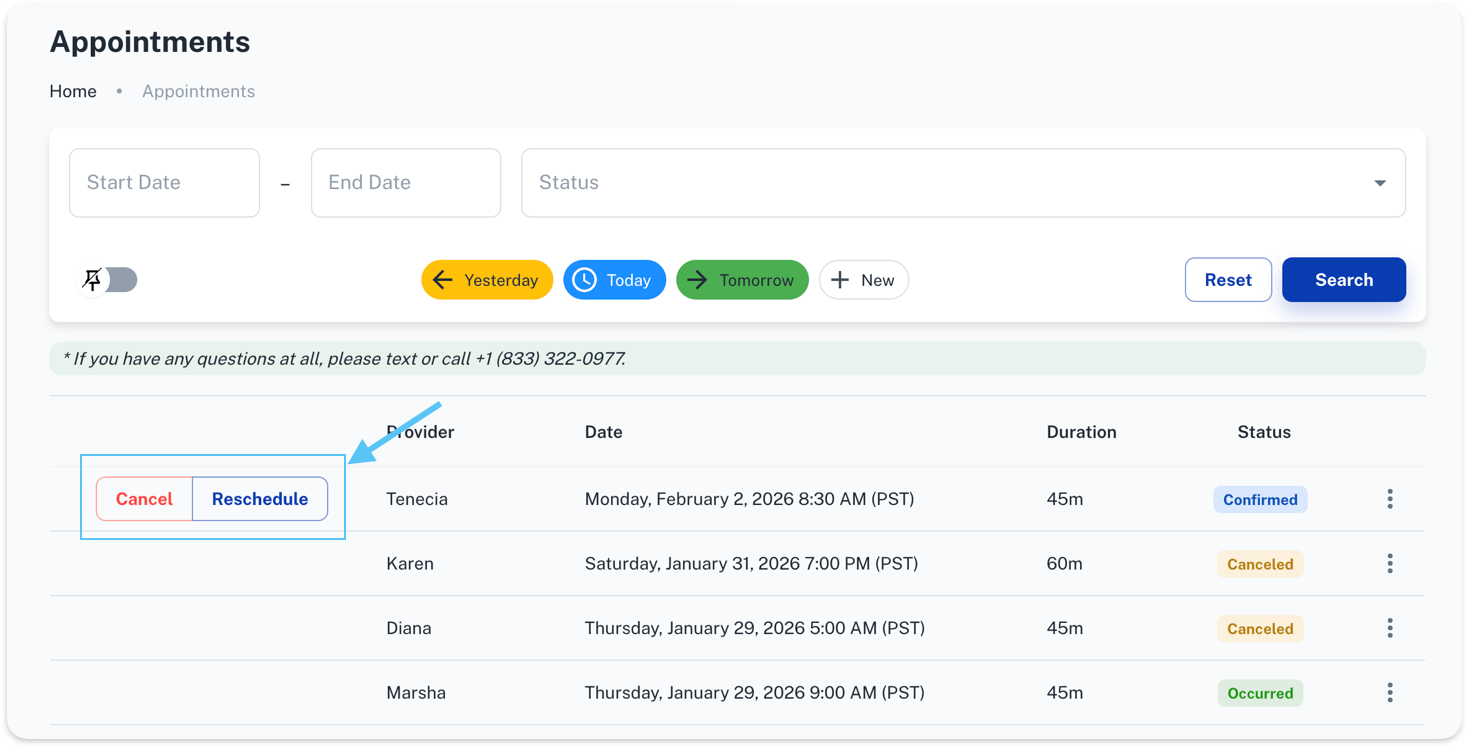
- Find the appointment you want to change
- Click Reschedule
- Select a new date/time (based on availability)
- Confirm your update
Cancel an appointment
- Find the appointment
- Click Cancel
- Confirm the cancellation when prompted
Need help or have questions?
You can reach our support team by text or call at +1 (833) 588-7992.