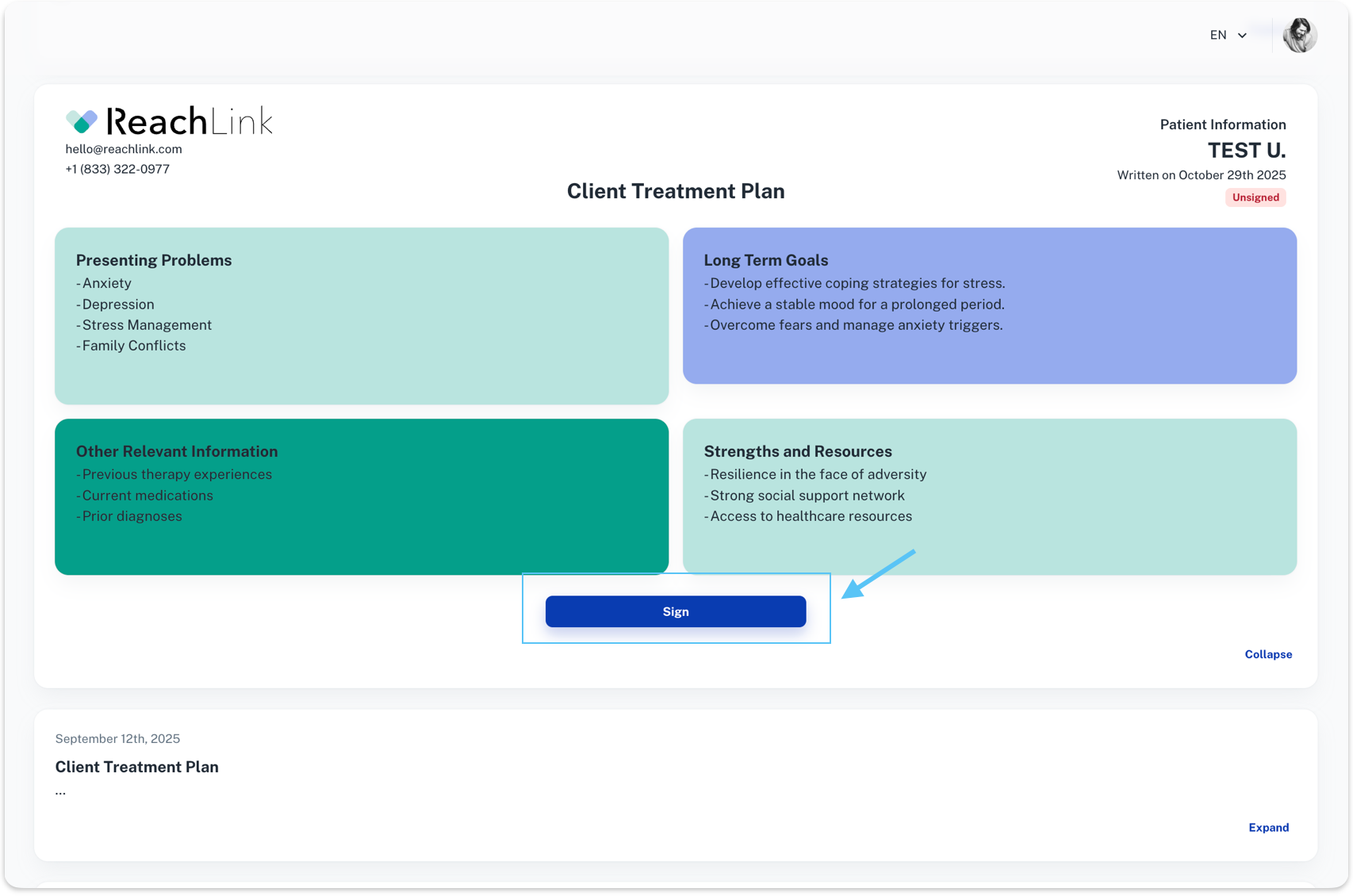
The Plans section is where you can view and sign important documents created by your provider, such as your Treatment Plan or Safety Plan. These plans help outline your goals, focus areas, and the support you’re receiving in care.
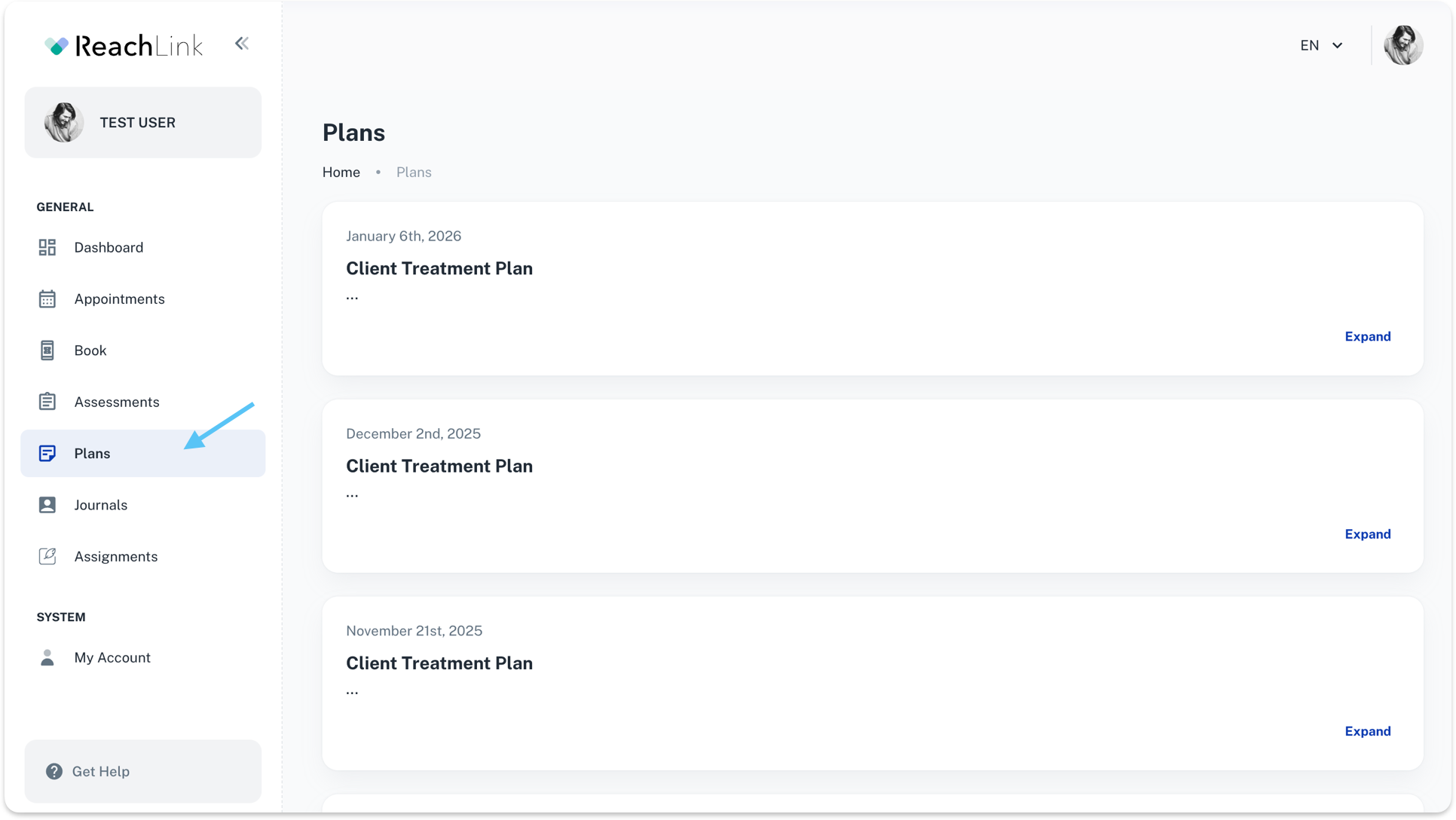
From the left menu, click Plans to see your full session list.
How to Use This Page
- Review your most recent plan
Your latest treatment plan appears first.
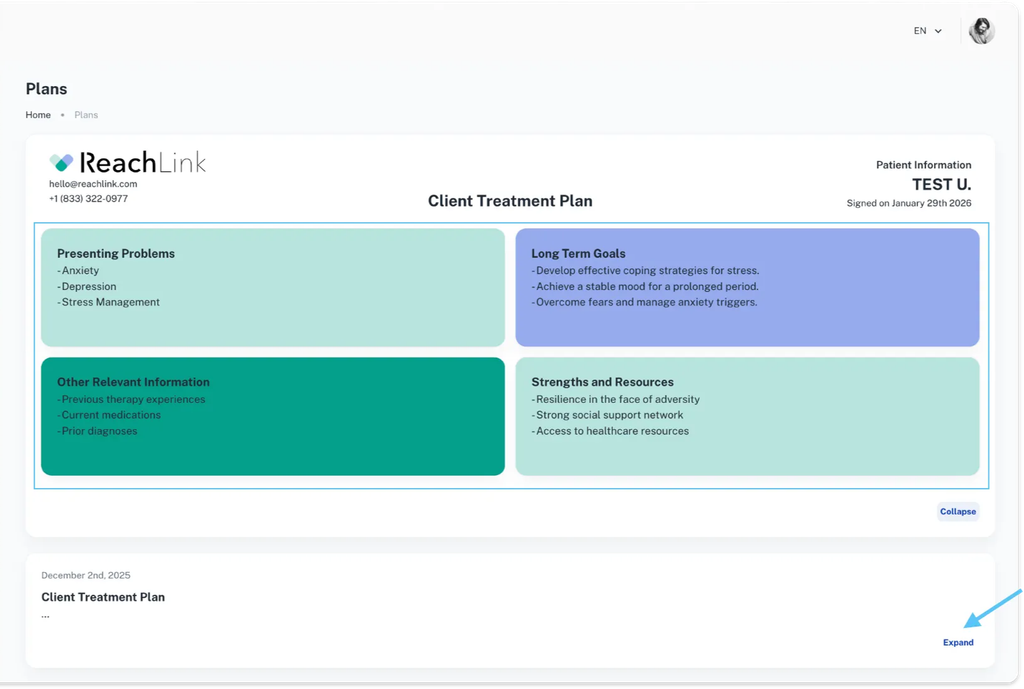
- Expand a plan
- Presenting Problems
- Long-Term Goals
- Strengths and Resources
- Other Relevant Information
Click Expand to open the full plan and see details like:
- View past plans
Older plans are saved for reference so you can track it.
Signing Your Plan
- Review the treatment plan carefully.
- Select Sign when prompted.
- Once signed, your provider will be notified automatically.
Signed plans will show a “Signed” status with the date completed.