
You can search for providers, view their profiles, and learn about their specialties, experience, and availability. Each profile includes details like their background, therapeutic approach.
How to Use the Providers Tab
1. Open the Providers Tab
From the left-hand menu, click Providers.
You’ll see a list of available providers, including your assigned provider(s).
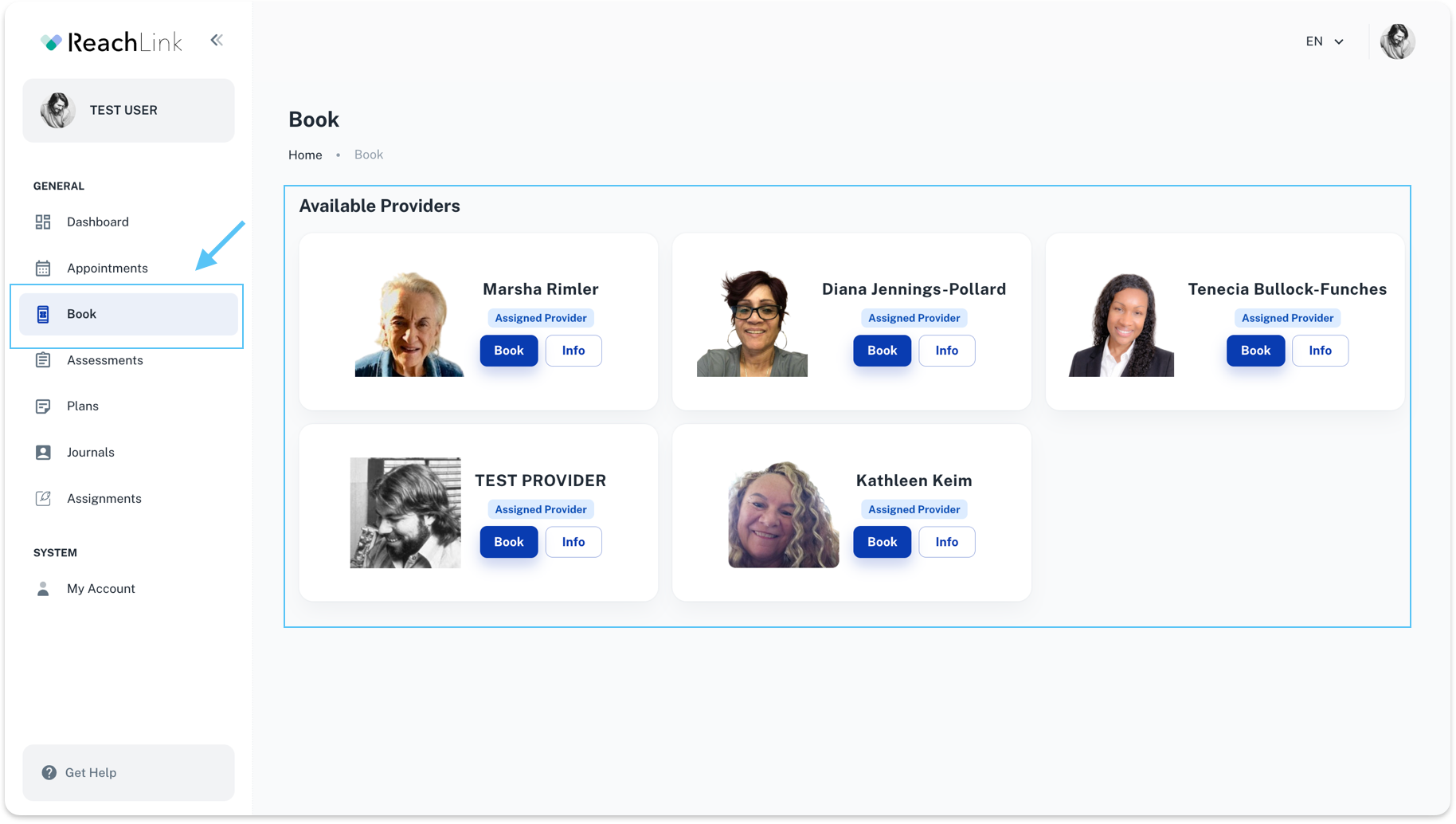
2. Learn More About a Provider
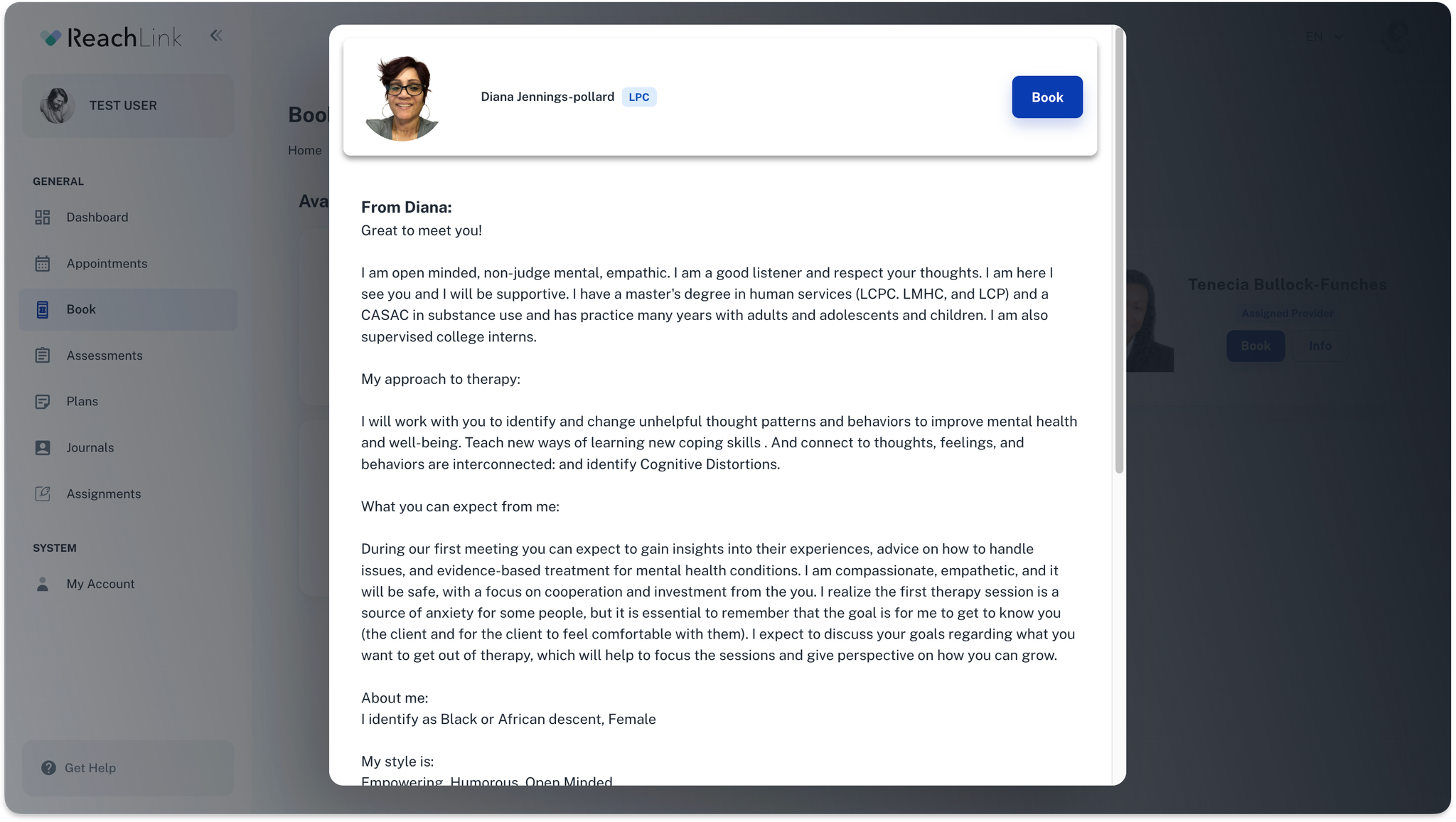
Click Info to view the provider’s full profile.
This includes:
- Introduction from the provider
- Their therapeutic approach
- Areas of experience
- What you can expect in sessions
This helps you decide if the provider feels like a good fit for you.
3. Book a Session
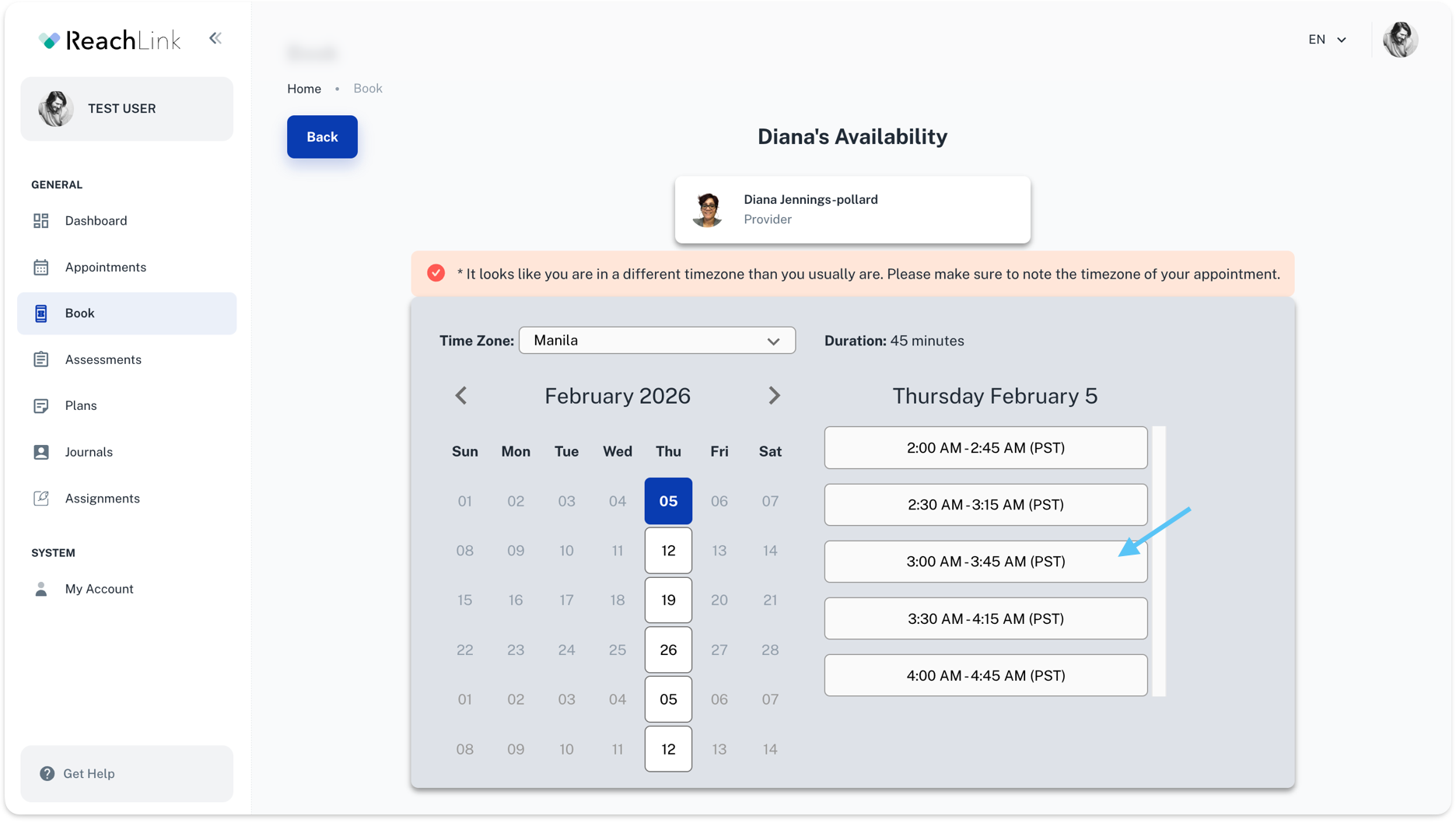
Click Book on a provider card to schedule an appointment.
You’ll be taken to the provider’s availability page where you can:
- Confirm your time zone
- Select a date
- Choose an available time slot
- Review the session duration
⚠️ If you’re in a different time zone, you’ll see a reminder to double-check the appointment time.
4. Confirm Your Appointment
After selecting a time:
- Review your appointment details
- Confirm the booking
Once confirmed, the session will appear in your Appointments tab.
Helpful Tips
- You can view provider profiles anytime before booking.
- If a provider isn’t a good fit, you can explore other available providers.
- Your booked sessions will always show under Appointments.