Assessments in the ReachLink app are simple check-ins designed to help you understand how you’re feeling and what you may need today. They take only a few minutes and offer gentle insights to support your journey.
How to Take an Assessment
Go to Assessments from the left-hand menu.
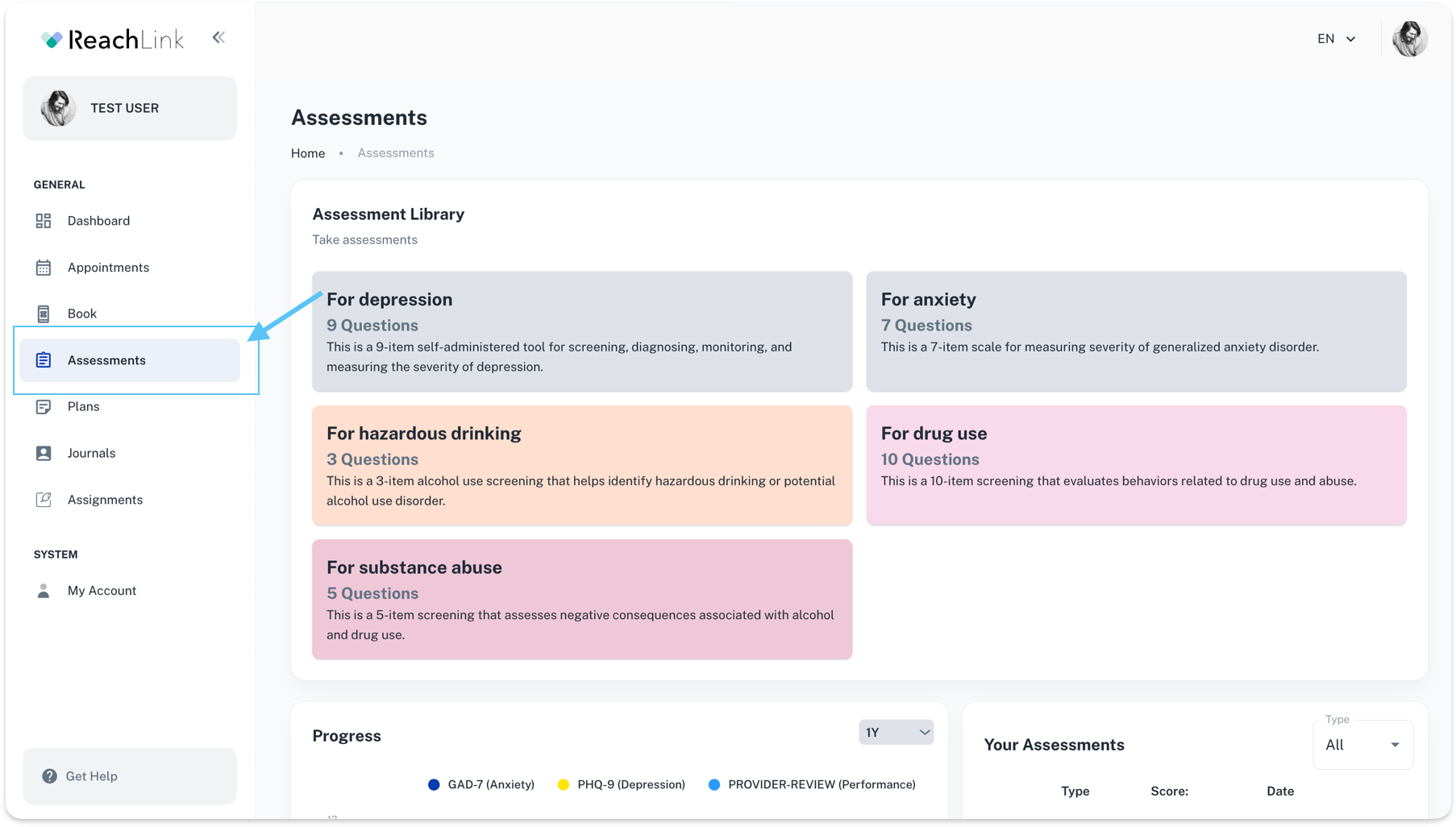
Assessment Library
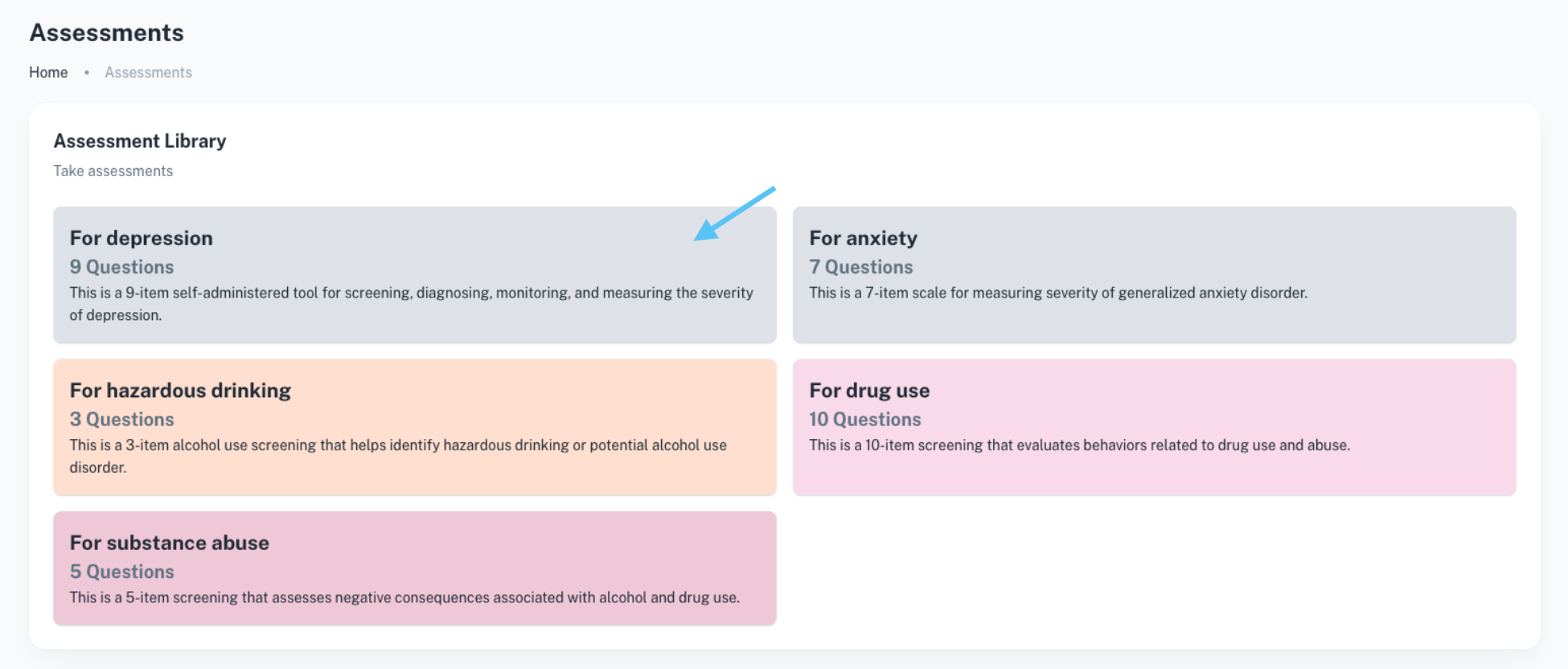
This section shows the available assessments you can take, such as:
- Depression assessments
- Anxiety assessments
- Substance use screenings
- Hazardous drinking screenings
Each assessment includes a short description and the number of questions, so you know what to expect before starting.
Then, choose an assessment from the Assessment Library.
Answer the questions honestly—there are no right or wrong answers.
Submit the assessment once completed.
Viewing Your Progress
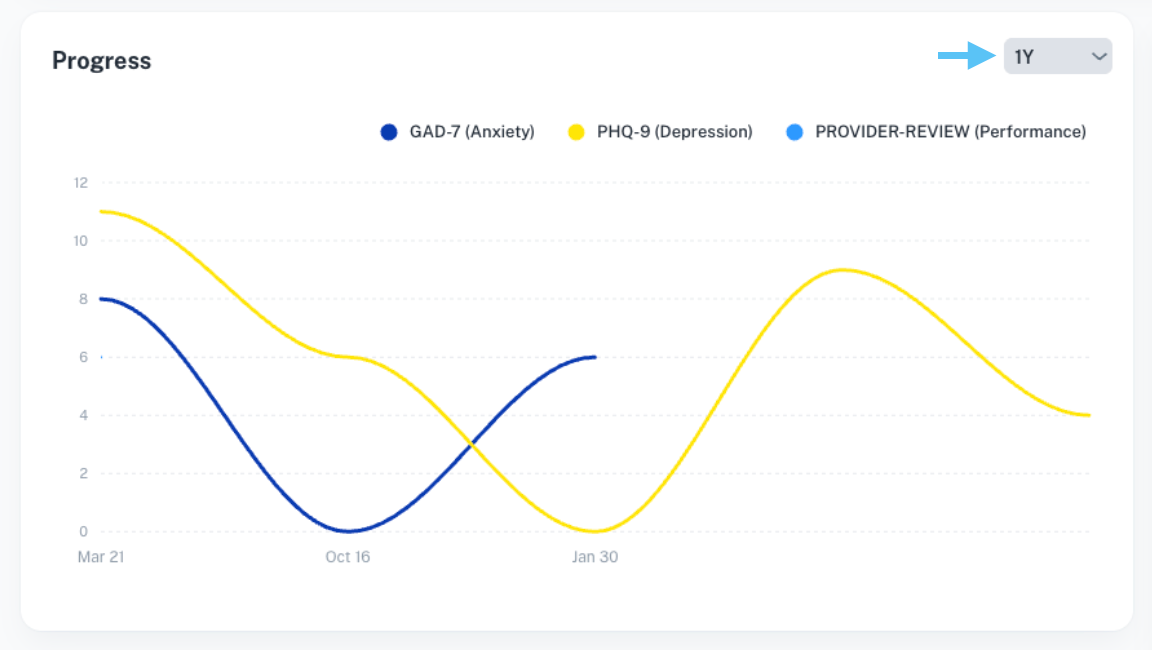
Progress Chart
The Progress section shows visual trends of your assessment scores over time, helping you:
- See improvements or changes
- Understand patterns in mood or anxiety
- Track how you’re responding to care
You can switch between different time ranges to review your progress.
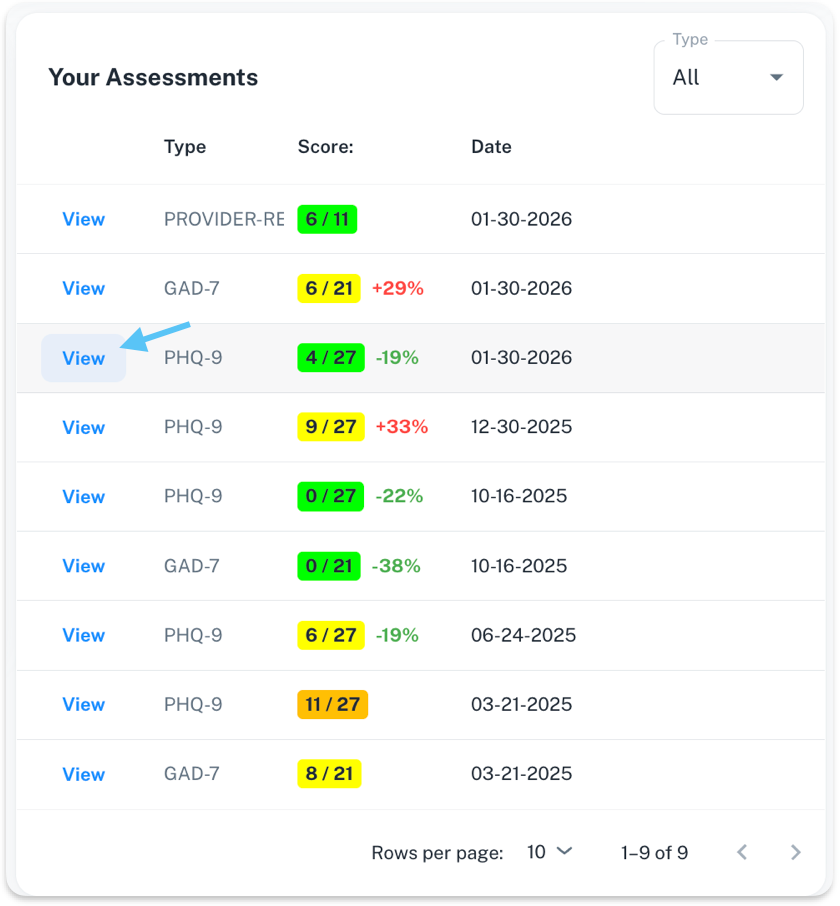
Your Assessments
This table shows:
- The type of assessment taken
- Your score
- The date it was completed
Click View to see details for any past assessment.