You can delete your ReachLink account directly in the app — no need to contact anyone first. Please note: this action cannot be reversed. Once your account is deleted, it's permanent.
Some records — such as your clinical notes and session transcripts — can't be deleted. We're required by law to keep those, even after your account is closed.
How to Do It
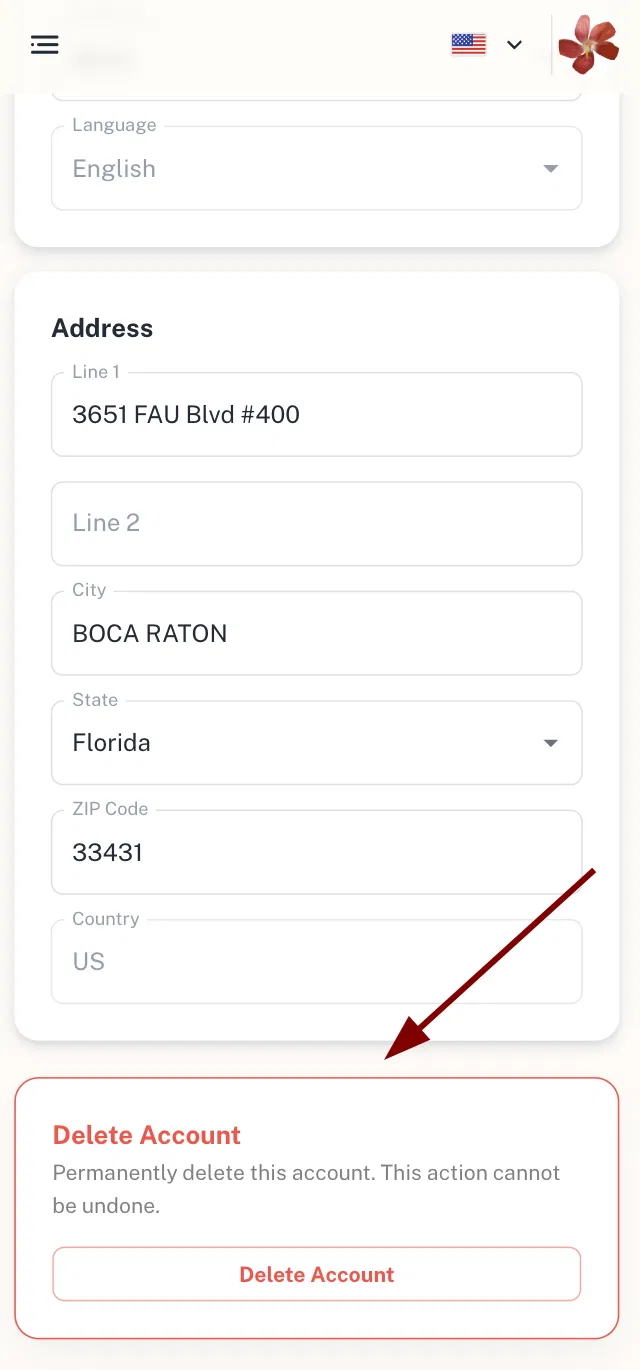
- Go to My Account.
- Scroll to the bottom of the page.
- In the Delete Account section, tap Delete Account.
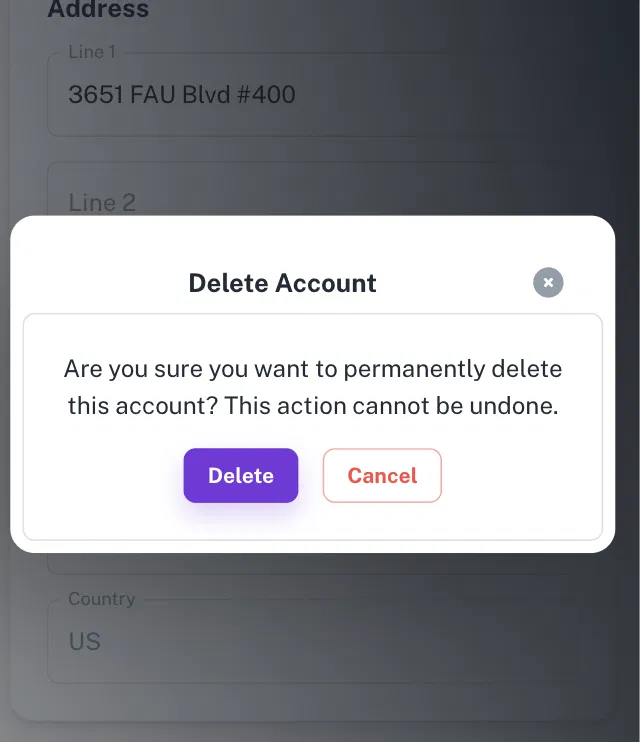
- A confirmation window will appear: "Are you sure you want to permanently delete this account? This action cannot be undone."
- Tap Delete to confirm, or Cancel to go back.
Looking to delete just your Carebot chats instead? That's separate — you can remove those yourself in the app (see Carebot).
If It Doesn't Work
If you're not sure what will be deleted, or you have questions about your notes or records, reach out through the Get Help in the sidebar.
Still Need Help?
We're here for you. Reach Care Coordination at:
- Phone: 833-588-7992
- Email: support@reachlink.com