You can have your therapy sessions by phone instead of video. Choose phone when you sign up or when you book, and when it's time, ReachLink calls you and your provider and connects you. Your phone number stays private.
Who this is for
Anyone who'd rather talk than be on camera, doesn't have a reliable internet connection, or is having trouble getting video to work for a session.
Choosing video or phone
You pick a session mode in two places:
- When you sign up. On the first page of onboarding (General Information), answer How would you like to attend your therapy sessions? with Video call or Phone call. This becomes your default.
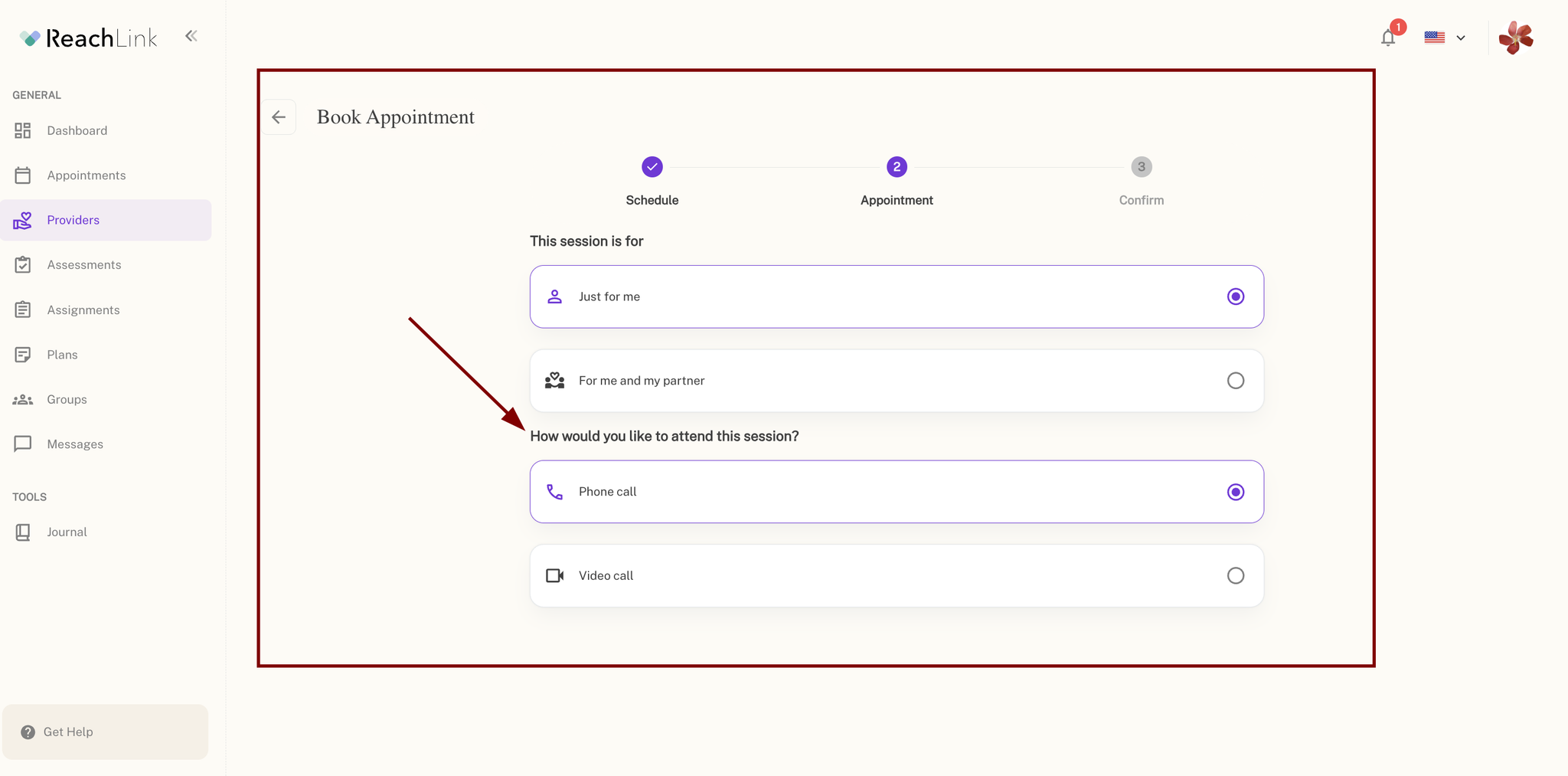
- Each time you book. On the Appointment step of Book Appointment, answer How would you like to attend this session? You can pick a different mode for any session.
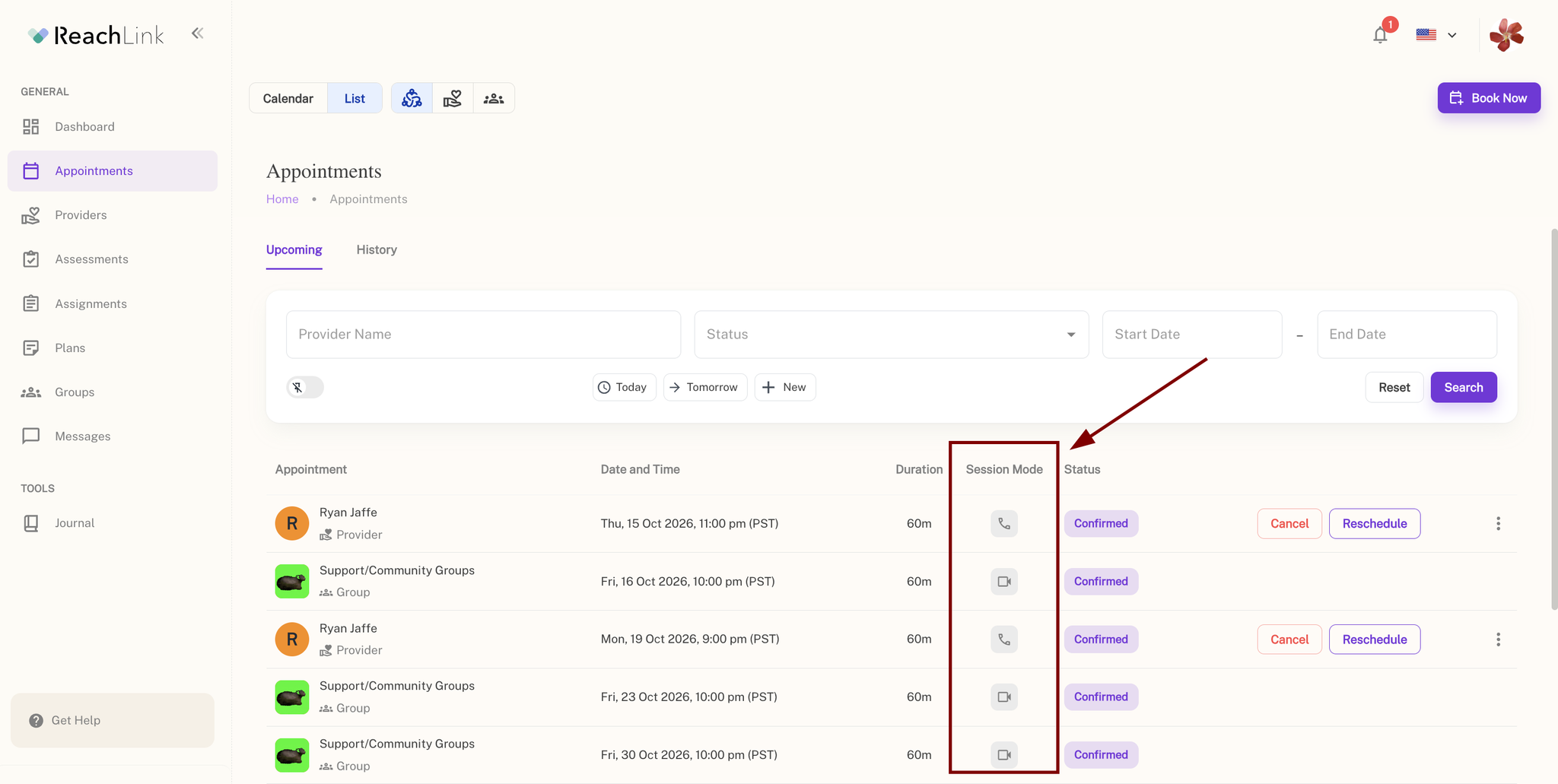
Not sure which mode a session is set to? Go to Appointments. Each session shows a phone or video icon — hover over it to see Phone call or Video call. On mobile, the icon sits next to the session's status.
Starting a phone session
- Go to Appointments and find your session. When it's ready, click Join now (it shows a phone icon for phone sessions).
- In Start session by phone, click Start phone call.
- ReachLink calls your phone. Answer it. ReachLink also calls your provider and connects you both.
- Stay on the status page — it updates by itself as each of you joins. When you see Call in progress and a timer, you're in your session.
Make sure you don't miss the call
ReachLink calls you from 850-446-8707. Save it in your contacts as ReachLink before your session.
If your phone silences unknown callers (iPhone Silence Unknown Callers, or Android call screening) or you use a spam blocker, add this number to your allowed contacts. Otherwise the call may go straight to voicemail without ringing.
850-446-8707 only makes calls. Nobody will answer if you call it back. To reach ReachLink, use the support options at the bottom of this page.
What the status page tells you
You see | What it means | What to do |
Answer phone call to connect | ReachLink is calling you both | Answer your phone |
You're connected. Waiting for [Provider] to join. | You're on the line; your provider hasn't picked up yet | Stay on the line |
[Provider] is connected. Waiting for you to join. | Your provider is on the line | Answer the incoming call |
Retrying call (Attempt 1, 2, or 3 of 3) | Someone didn't answer within 30 seconds, so ReachLink is calling again | Watch for the call and answer it |
Unable to reach you / Unable to reach [Provider] | All three attempts went unanswered | Click Call again to start over |
[Provider] declined the call | Your provider declined | Click Call again, or message your provider |
Call ended | The call is over; you'll see how long it lasted | Click Exit page to go back to Appointments |
Video not working? Switch to phone
If your session is set to video and you're having trouble, you can switch without rebooking:
- In the video waiting room, find Prefer to join by phone? (on mobile, it's on Session Details above Join session).
- Click Start phone call, then confirm.
- Answer the call when it comes.
Changed your mind? Click Rejoin video session at any point to cancel the call and go back to the waiting room.
Ending or cancelling the call
- Before you're connected: click Cancel call, then Confirm.
- During the call: click End call, then Confirm.
You'll go back to wherever you started — the Appointments page, or the video waiting room if you switched from video.
Good to know
- Phone-only sessions don't have a video option. If a session is booked as a phone call, you'll see a Phone call mode notice. To meet by video instead, reschedule the session and choose Video call.
- Your number stays private. Calls go through ReachLink — your provider doesn't see your number, and you don't see theirs.
- Your phone session is part of your care record, the same as a video session.
- Phone sessions aren't for emergencies. If you're in crisis, call or text 988 (Suicide & Crisis Lifeline), or call 911 if you're in immediate danger.
Troubleshooting
Problem | Likely cause | What to do |
My phone never rang | Your phone silenced or blocked an unknown number | Save 850-446-8707 as "ReachLink," check your blocked/silenced calls, then click Call again |
I don't see Join now | It's too early, or the session is cancelled | Check the session time; cancelled sessions don't show Join now |
I can't find Rejoin video session | The session is booked as phone-only | Reschedule and choose Video call if you want video next time |
Every attempt failed | Missed calls or a phone service problem | Click Call again. If it keeps failing and your session is starting now, call support |
If you can't connect by phone or video, let ReachLink know right away. A session where your provider can't reach you may be recorded as a missed session.
Still need help?
- Your session is starting now: call 833-588-7992 (call only — this number doesn't accept texts)
- Not urgent: email support@reachlink.com, or tap Get Help in the app